
VPS Tutorials
Proxy IP Technology: A Complete Beginner's Guide
Proxy IPs are a foundational network tool for hiding your true origin, switching regions for access, and distributing request load. This beginner-oriented article explains how proxy IPs work, the differences between residential proxies, datacenter proxies, rotating proxies, static proxies, forward proxies and reverse proxies, and describes common enterprise uses in price monitoring, ad verification, brand protection and account management.
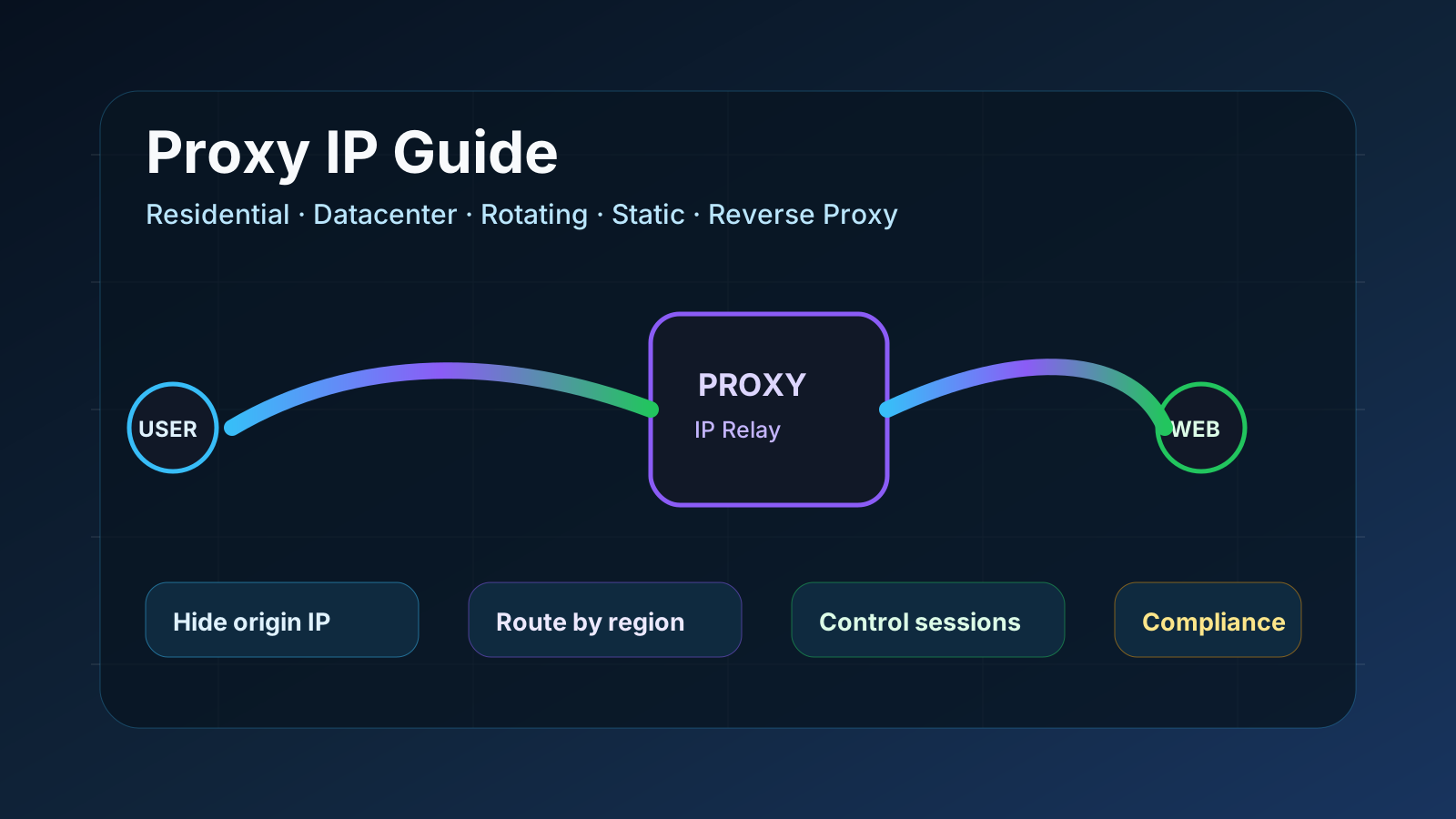
Most people have heard the term "proxy server" at some point. It comes up in conversations about privacy, network security and data collection. But unless you work in the tech industry or have set up a proxy server yourself, the concept often remains vague. What exactly is a proxy IP? How does it work? Why do so many businesses rely on it?
This guide answers those questions directly. No prior knowledge required, no steps skipped.
A proxy IP is a substitute address that your internet traffic passes through before reaching its destination. Instead of your device connecting directly to a website, a proxy server sits in the middle, makes the connection on your behalf, and uses its own IP address rather than yours.
If you are evaluating options by region or use case, browsing available proxy IP solutions by geography before narrowing down is a practical starting point.
Before going deeper into proxies, it helps to understand what an IP address actually is. Every device connected to the internet is assigned a unique numeric label called an IP address. It works like a postal address. Websites use it to know where to send the data you request, and it also lets them determine where you are connecting from.
The latter is exactly the problem. Your IP address reveals your approximate location, your internet service provider, and your device's identity on the network.
For ordinary users, this is usually not an issue. But for businesses involved in high request volumes, region-specific access or competitive intelligence gathering, a single visible IP address quickly becomes a limitation.
A proxy IP solves this by replacing your address with another one.
Step by step, the process is actually quite simple.
Your device sends a request, such as loading a web page. That request first goes to the proxy server rather than directly to the target website. The proxy server evaluates the request and forwards it to the destination using its own IP address.
The website sends the response to the proxy. The proxy then passes the response back to your device. You see the result as if you had visited the site directly.
Throughout the interaction, the website only interacts with the proxy's IP address. Your own address never appears. Cisco describes a proxy server as a kind of traffic director that inspects and routes requests between users and the network. The analogy fits well. The proxy manages the traffic so that the original source stays hidden.
The geographic location of the proxy server matters just as much. A proxy located in Germany looks like a German connection when contacting any website. A proxy in Singapore is a local connection to Singaporean servers. For teams collecting regional pricing data or testing how a website appears to users in a specific country, this location control is the core of the tool's value.
Not all proxies behave the same way. The differences between types are not merely technical. They affect a proxy's detectability, speed, cost, and the kinds of tasks it is actually suited for.
Residential proxies use IP addresses assigned by internet service providers to real home devices. Because they look like ordinary household connections, websites have difficulty identifying and blocking them. This makes them the right choice for tasks that require posing as an ordinary user, such as monitoring competitor website prices or verifying that your ads display correctly in different markets.
Datacenter proxies come from cloud infrastructure rather than real devices. They are faster and cheaper than residential proxies, but the trade-off is higher detectability. Their IP ranges are well documented, making them easier for platforms that filter automated traffic to identify. They still perform well for high-speed tasks with low detection risk.
Rotating proxies automatically switch IP addresses, either after each request or on a fixed schedule. They are designed for large-scale tasks. When a task involves thousands of requests across multiple websites, rotating proxies distribute the load across many addresses so that no single IP accumulates enough requests to trigger a block.
Static proxies keep the same address across sessions. Any workflow that requires maintaining a stable identity, such as managing accounts or staying logged in to a console, works better with static proxies than with rotating ones.
Forward proxies sit between the client (your device) and the internet. They manage outbound traffic, hide your identity, and are commonly used by individuals or schools to bypass local network restrictions.
Reverse proxies sit in front of servers and manage inbound traffic from the internet. They handle tasks such as load balancing, SSL encryption and caching, protecting servers from direct attacks.
Fortinet's overview of proxy server types provides a clear explanation for anyone who wants to go deeper into the network architecture side.
Privacy is one application. But for most organizations, proxy IPs serve more specific operational purposes.
Retailers and analysts continuously monitor competitor pricing across dozens of websites. When a single IP address sends such a large volume of requests, it quickly hits rate limits or blocks. Spreading traffic across multiple proxy IPs enables continuous, large-scale data collection without hitting a wall.
Companies launching products in a new country need to know exactly how the website appears to local users, including the prices shown, the products displayed and the page load speed. Proxies using local IPs make this testing possible from anywhere.
Advertisers cannot always be sure their campaigns appear in the target locations as intended. Proxy IPs let verification teams check ad delivery across multiple regions at the same time, catching discrepancies before they affect budget or performance.
Businesses track how their brand appears across different platforms and regions. Doing this at scale without being identified and served modified content requires the kind of distributed access that proxy IPs provide.
Platforms flag accounts that perform high-frequency operations from a single IP. Assigning separate proxy IPs to different accounts makes activity patterns look normal and reduces the risk of being flagged or banned.
Getting started with proxy IPs is not complicated, but a few mistakes are easy to make early on.
-
Using free proxy lists. Free proxies are shared among thousands of users. They are frequently flagged, usually slow, and sometimes set up specifically to intercept traffic passing through them. For any task involving sensitive data or stable performance, they are not worth the risk.
-
Sending requests too fast. A proxy changes your IP address, but it does not make your traffic invisible. Platforms with modern bot detection monitor behavioral patterns, not just IP addresses. Sending requests at a speed no human could replicate will trigger detection no matter how many IPs you rotate. Pacing matters.
-
Choosing the wrong type for the task. Residential proxies cost more and are slower than datacenter proxies. Using residential proxies for every task wastes budget. But using datacenter proxies on platforms that filter aggressively means your requests get blocked before they accomplish anything. Matching proxy type to the specific task is the key to whether everything else works.
-
Skipping compliance checks. Being technically able to access data does not mean you are allowed to collect it. Terms of service, data protection laws and jurisdictional regulations all apply. These are worth reviewing in advance before building any proxy-driven data pipeline, rather than fixing things afterward.
The right configuration depends on what you actually want to do. These three questions resolve most of it.
-
How many requests do you need to send, and how often? Small, infrequent tasks can use static proxies. Large volumes of work require rotating proxies.
-
Does the geographic location of requests affect the results? If the task involves region-specific data or localized content, your proxy IP location is not a detail but the core mechanism.
-
How aggressively does the target platform filter traffic? Platforms with strong bot detection require residential proxies. Less sensitive targets do not. There is no reason to pay residential proxy prices when a datacenter proxy will do the job.
Start with the simplest configuration that suits the task. Test it, observe the results, and adjust accordingly. Most proxy strategy problems come from overcomplicating the setup before truly understanding how the target platform actually responds.
A proxy IP is not a complicated tool. It is an intermediary address that forwards your requests while keeping your real IP hidden in the background. Its power lies in the control it gives you: control over where your traffic appears to come from, how much traffic you can send without being blocked, and what content you can access without geographic restrictions.
For beginners, the most important thing is to match the proxy type to the task from the start. Residential or datacenter. Rotating or static. Each type exists for a reason, and using the right one saves time, money and a great deal of troubleshooting.
Start with one task. Configure it correctly. Observe how the target responds. Then build on that.