
VPS Tutorials
How to Run a VPS Backup Restore Drill (2026): restic, rclone, Databases, and Docker Volumes in One Pass
Having a VPS backup doesn't mean you can restore it. A truly reliable backup plan must regularly run restore drills on a clean test machine to confirm that the restic/rclone repository is readable, database dumps can be imported, Docker volumes can be restored, and no configs or keys are missing. This article gives you an executable restore drill checklist for the most common small-site-owner scenario: Docker + MySQL/PostgreSQL + file directories.
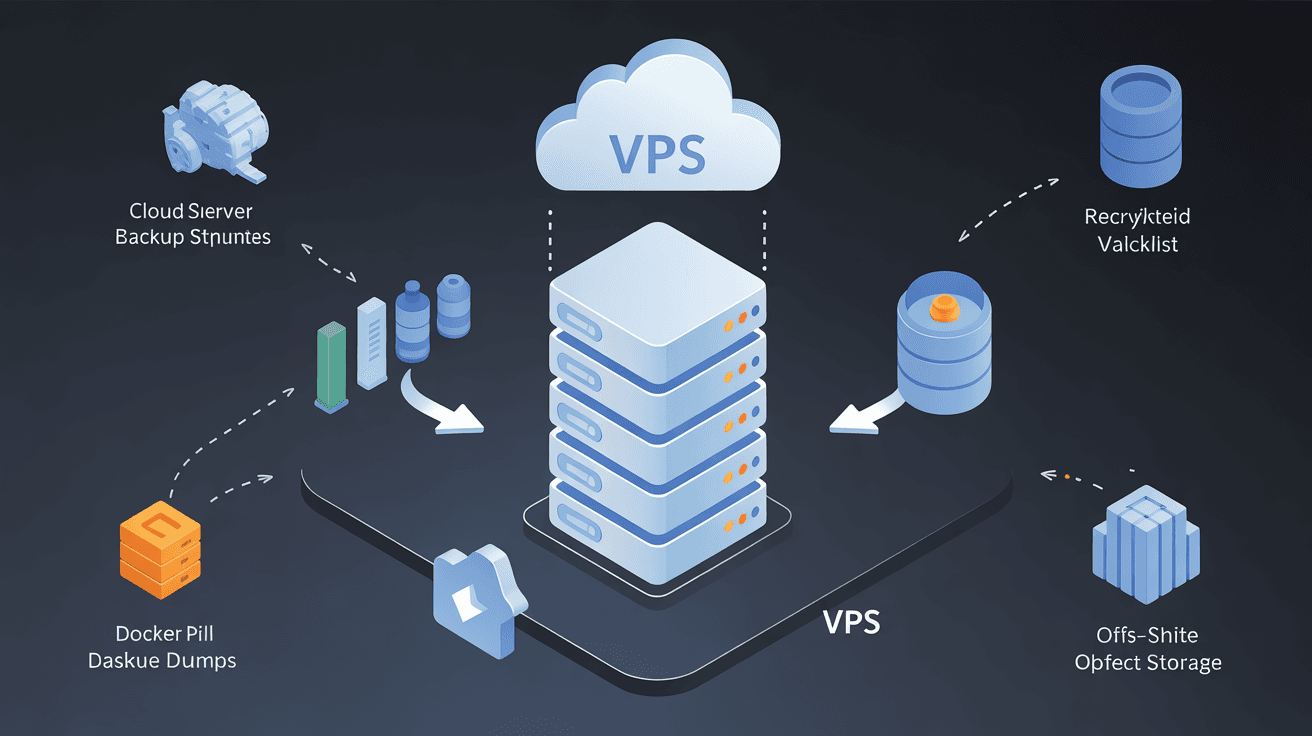
Many people say they "have backups," but in reality they just tar up files every day and drop them into cloud storage.
When something actually goes wrong, they discover: the backup files can be downloaded, but the database won't import; the Docker containers start, but the volume is missing uploaded files; docker-compose.yml can't be found; the restic password was stored on the original VPS, so when the machine is gone, the password is gone too.
So the most critical thing about backups isn't "whether the script runs" — it's: can you restore your business on a clean VPS?
This article doesn't cover the complex disaster recovery systems big companies use. It covers the one thing ordinary VPS users should do most: run a restore drill every so often.
Before a restore drill, don't rush to type commands. First set two metrics for yourself.
The first is RPO, meaning the maximum amount of data you can afford to lose. For example:
- Personal blog: losing 24 hours of posts and comments is acceptable;
- Small e-commerce: can only afford to lose a few minutes of orders;
- Gitea / private Git: ideally not a single commit should be lost;
- Monitoring system: some historical data can be lost, but configs cannot.
The second is RTO, meaning how long you have to restore service.
If your goal is "restore a small WordPress site within 2 hours," then the drill must actually be timed: from booting a new VPS to the site opening, the database working, the admin panel logging in, and images loading — how long does it take in total?
Without these two metrics, backups are just psychological comfort.
The easiest thing for ordinary VPS users to miss is configs and keys, not the data itself.
I suggest making a checklist first:
| Type | Common paths / contents | How to verify during the drill |
|---|---|---|
| Website files | /var/www, /opt/app, upload directories | Whether the homepage, admin panel, and images work |
| Databases | MySQL, MariaDB, PostgreSQL dumps | Can be imported, table counts and key data correct |
| Docker data | named volumes, bind mounts | Data still there after container rebuild |
| Config files | docker-compose.yml, Nginx, Caddy, systemd units | Services start the same way as before |
| Certificates and domains | TLS certificates, DNS, Cloudflare config | Whether HTTPS works |
| Keys | .env, API keys, restic password, rclone config | Can decrypt and restore without relying on the original VPS |
Some directories don't need backing up:
/tmp/proc/sys/run/dev/var/cache- The project's
node_modules - Images and temp files that can be rebuilt
What really needs backing up is "things that can't be regenerated from source code or the package manager."
This is the number one cause of VPS backup failures.
When databases like MySQL and PostgreSQL are running, directly packaging /var/lib/mysql or the PostgreSQL data directory may not give you consistent data. You think you backed it up, but the restore may crash.
For MySQL / MariaDB use:
mysqldump --all-databases \
  --single-transaction \
  --quick \
  --routines \
  -u root -p \
  | gzip > /var/backups/db/mysql-all-$(date +%F-%H%M).sql.gz
For PostgreSQL use:
sudo -u postgres pg_dumpall | gzip > /var/backups/db/postgres-all-$(date +%F-%H%M).sql.gz
If it's a single database, you can also use:
pg_dump -U app_user -d app_db -Fc > /var/backups/db/app_db-$(date +%F-%H%M).dump
The point here isn't how pretty the commands are — it's that you must actually import once during the drill.
MySQL restore test:
gunzip < mysql-all-2026-06-11-0200.sql.gz | mysql -u root -p
PostgreSQL restore test:
createdb app_db_test
pg_restore -U app_user -d app_db_test app_db-2026-06-11-0200.dump
If the import fails, your backup plan is not up to standard.
Docker projects are the easiest to misjudge: containers can be deleted, images can be pulled again, but the data in volumes cannot.
First list the volumes:
docker volume ls
See the actual location of a volume:
docker volume inspect myapp_data
If the volume only holds uploaded files, static attachments, or config state, you can package it with a temporary container:
docker run --rm \
  -v myapp_data:/source:ro \
  -v /var/backups/docker:/backup \
  alpine:latest \
  tar czf /backup/myapp_data-$(date +%F-%H%M).tar.gz -C /source .
Restore to a new volume:
docker volume create myapp_data

docker run --rm \
  -v myapp_data:/target \
  -v /var/backups/docker:/backup:ro \
  alpine:latest \
  tar xzf /backup/myapp_data-2026-06-11-0200.tar.gz -C /target
But if the volume holds database data, don't directly tar a running volume. Prefer mysqldump, pg_dump, or the application's own export tools.
If file-level backup is unavoidable, at least stop the container or enter a maintenance window.
rclone copy is great for sending backup files to object storage, but it isn't a complete backup system by itself. A more robust approach is:
- restic handles encryption, deduplication, snapshots, and retention policy;
- rclone handles connecting to different cloud storage;
- databases are dumped first;
- Docker volumes are handled by type;
- restore tests are run regularly.
Initialize the restic repository:
export RESTIC_REPOSITORY=s3:https://s3.example.com/vps-backups
export RESTIC_PASSWORD='请放到密码管理器,不要只放在 VPS 上'
restic init
Run a backup:
restic backup \
  /var/www \
  /opt/app \
  /etc/nginx \
  /etc/caddy \
  /etc/systemd/system \
  /var/backups/db \
  /var/backups/docker \
  --exclude 'node_modules' \
  --exclude '.git'
Set a retention policy:
restic forget \
  --keep-daily 7 \
  --keep-weekly 4 \
  --keep-monthly 3 \
  --prune
Check the repository:
restic check
restic snapshots
A common mistake is running only forget without --prune. This way old snapshots disappear from the list, but the underlying data may not actually be freed, and the storage bill keeps rising.
A minimal viable drill doesn't need to affect production.
You can spin up a temporary VPS, or use a local virtual machine, and run in this order:
- Install the base environment: Docker, Docker Compose, database, Nginx/Caddy;
- Configure restic/rclone access to the backup repository;
restic restore latest --target /tmp/restore-test;- Restore website files, config files, database dumps, Docker volumes;
- Access via a temporary domain or hosts file;
- Verify login, uploads, queries, admin panel, scheduled tasks;
- Record the total time from start to service being usable.
Restore the latest snapshot:
restic restore latest --target /tmp/restore-test
Restore only a specific path:
restic restore latest --include /var/www --target /
After restoring, don't just check whether files exist — run business checks:
curl -I https://test.example.com
curl -s https://test.example.com/health
sudo systemctl status nginx --no-pager
docker compose ps
If it's WordPress, at least check:
- The homepage opens;
- The admin panel logs in;
- Media library images display;
- The post count in the database is correct;
- Plugins don't error due to paths or permissions.
If it's Gitea, at least check:
- The repository list;
- git clone;
- The SSH port;
- Whether runners / Actions need re-registering.
If it's a self-built application, at least check:
- Whether
.envare complete; - Database migration status;
- Whether queues are started;
- Whether the upload directory is writable;
- Whether scheduled tasks are restored.
After the restore drill, leave documentation behind. Otherwise, next time something goes wrong, you'll still be relying on memory.
A minimal runbook should at least include:
# VPS 恢复演练记录

- 演练日期:2026-06-11
- 备份快照:restic snapshot abc123
- 备份时间点:2026-06-11 02:00
- 测试机器:Ubuntu 24.04 / 2C4G
- 恢复耗时:58 分钟
- 恢复内容:网站文件、Nginx 配置、MySQL dump、Docker volumes
- 验证结果:首页 OK、后台 OK、上传 OK、数据库记录数 OK
- 发现问题:.env 缺少第三方 API key,已补入密码管理器
- 下次改进:把 docker-compose.yml 放入 Git 仓库
You'll find that the first drill usually exposes problems. For example:
- The backup script didn't back up
.env; - The restic password only exists on the original machine;
- The rclone config wasn't saved off-site;
- The database dump file is empty;
- Docker volume names don't match the compose file;
- The Nginx config references a certificate path that doesn't exist;
- Object storage bucket permissions weren't restored.
Finding these problems during a drill is a good thing; finding them on the day of an outage is a disaster.
No cron error doesn't mean the backup succeeded. It may not have run at all, or it may have failed halfway through.
The backup script should do at least three things:
set -euo pipefail
This way the script exits immediately on error instead of pretending to succeed.
Then check the last backup time:
restic snapshots | tail
If you have monitoring, add an alert for "backup not updated in over 24 hours." Without monitoring, at least remind yourself via email, Telegram, Uptime Kuma push monitor, or similar.
If you already have a monitoring system, you can combine it with this article:
Doing it once a quarter is enough for many small sites:
- List the latest snapshot from the restic/rclone repository;
- Restore the latest snapshot to a temporary directory;
- Spot-check key config files and uploaded files;
- Import MySQL/PostgreSQL dumps into a test database;
- Restore at least one Docker volume;
- Start the business in the test environment with compose;
- Access the homepage, admin panel, and health check endpoint;
- Record the restore duration;
- Check for missing keys, configs, and certificates;
- Update the runbook.
If your business is more important, you can do a lightweight drill monthly and a full drill quarterly.
No. Snapshots are good for quick rollback before changes, but not as a replacement for off-site backups. If the provider account is banned, the machine is accidentally deleted, a region fails, or the snapshot is corrupted, the snapshot and the machine may be gone together.
If you still can't tell snapshots, backups, and images apart, read this first:
No. Backup success only means "some data was written," not that the data can be restored into a usable business. Real verification is restore + start + access + data validation.
Not recommended. Running database files may be in an inconsistent state. MySQL/MariaDB with mysqldump --single-transaction, PostgreSQL with pg_dump or pg_dumpall is more reliable.
Don't keep it only on the VPS. At least put it in a password manager, and prepare an offline backup. The restic repository is encrypted; if the password is lost, the backup is basically gone.
Not necessarily. A lightweight drill can use a test domain or hosts file. A full disaster recovery drill can simulate a DNS switch, but be careful not to affect production traffic.
VPS backup isn't over once "the script runs once a day."
A truly reliable chain should be: databases exported first, files and configs go into encrypted backups, the backup repository is placed off-site, the retention policy is controllable, and finally a restore is run regularly in a clean environment.
If you can only do one thing right now — not switching tools, not buying more expensive storage — it's finding a temporary VPS and running a full restore drill. Only after it works will you know whether your backup is really a backup.