
VPS Tutorials
Deploy Directus Headless CMS on a VPS (2026): Docker Compose, PostgreSQL, Redis, Caddy Automatic HTTPS
Directus is a good fit for developers who want to self-host a content backend, internal management system, or headless CMS. This article covers VPS sizing, Docker Compose, PostgreSQL, Redis, Caddy automatic HTTPS, backups, and security checks to help you deploy Directus as a production environment you can maintain long term.
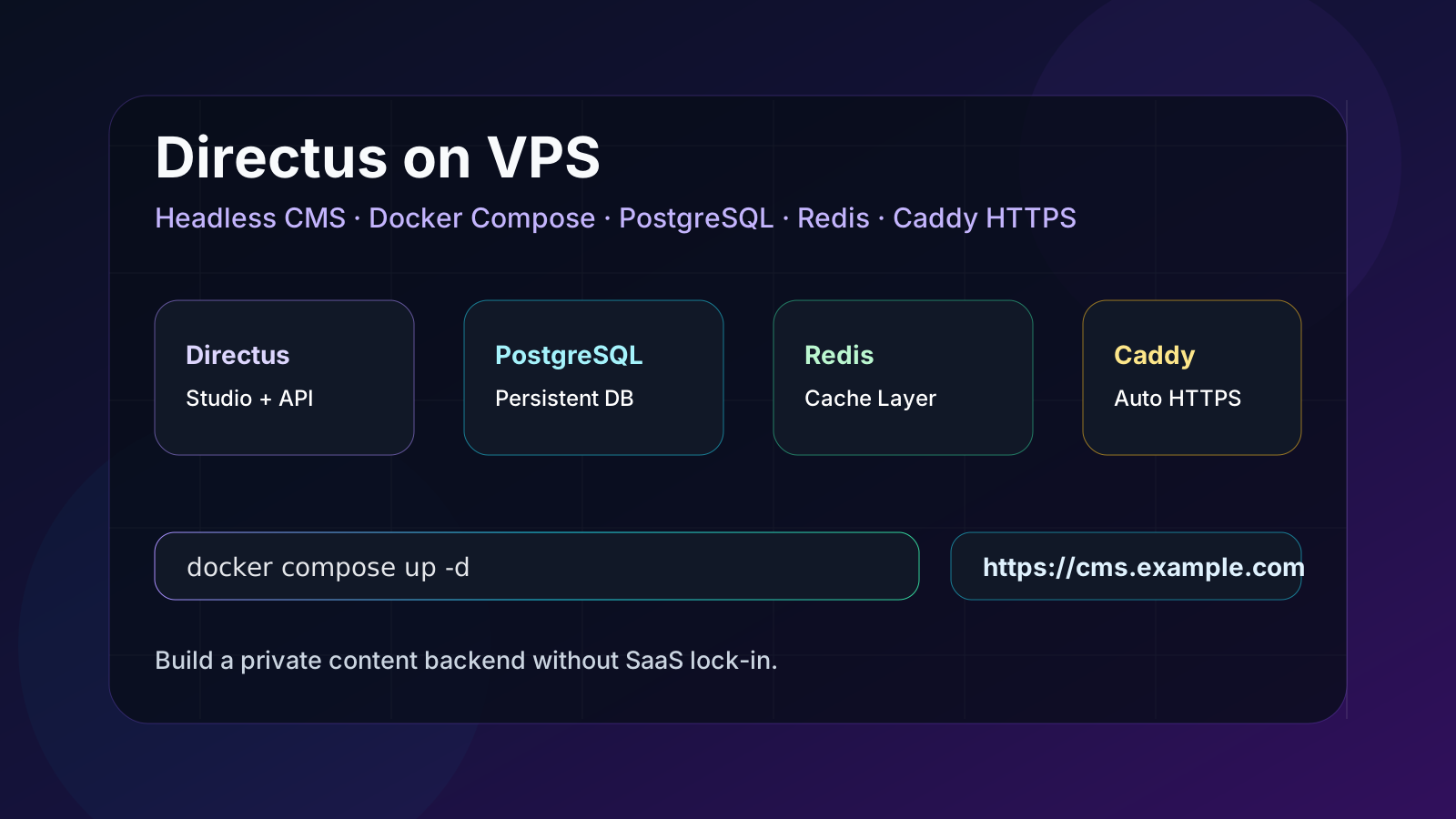
Deploy Directus Headless CMS on a VPS (2026): Docker Compose, PostgreSQL, Redis, Caddy Automatic HTTPS
If you no longer want to use WordPress for every content backend, and you find the costs and limits of Contentful, Strapi Cloud, and various SaaS CMS options hard to control, self-hosted Directus is a great choice for VPS users.
Directus is not positioned as "another blog system." Instead, it turns databases such as PostgreSQL and MySQL into a visual admin panel, REST API, GraphQL API, and permission system. You can use it to manage articles, products, tool directories, internal data, and operational forms, or treat it as a lightweight Backend-as-a-Service.
This article focuses on a production-maintainable setup: Directus + PostgreSQL + Redis + Caddy + Docker Compose. It is better suited to long-term use than "just running a single SQLite container," and it is less hassle than hand-writing Nginx + Certbot, because Caddy can automatically obtain and renew HTTPS certificates.
It suits the following types of users:
- Those who want to self-host a headless CMS on a VPS instead of paying a SaaS subscription long term.
- Those who want to provide a content API for Next.js, Nuxt, Astro, Hugo, or mini programs.
- Those who want to build an internal admin panel, tool directory, resource library, or customer database.
- Those who already know basic SSH and Docker but do not want to maintain complex Kubernetes.
- Those who want their data on their own VPS and database, so they are not locked into a platform when migrating.
If you just want to build a blog, our VPS personal blog guide is more direct. If you are working on automated workflows, see Deploy n8n automation workflows on a VPS. Directus is better suited to scenarios with "complex content structures, permission requirements, and API needs."
Directus itself is not heavy. What really consumes resources is the database, image uploads, API request volume, and the extensions you write.
| Scenario | Recommended specs | Notes |
|---|---|---|
| Personal content backend, test projects | 1 core, 2GB RAM | It can run, but don't load too many extensions |
| Small team CMS, tool directory | 2 cores, 4GB RAM | More stable, recommended starting tier |
| Multi-site content API, internal systems | 4 cores, 8GB RAM | More headroom for database, cache, and backups |
| Large volumes of image/file uploads | Add object storage separately | Don't pile large files onto the system disk |
We recommend at least 40GB of disk to start. Directus core data lives in the database, uploaded files live in the uploads directory, and extensions live in the extensions directory. When backing up later, all three must be covered.
You need:
- An Ubuntu 22.04 / 24.04 VPS.
- A domain, for example
cms.example.com. - A DNS A record pointing to the VPS public IP.
- Ports 22, 80, and 443 open.
- Docker and the Docker Compose plugin.
For installing Docker, you can refer to our Docker-related articles; here is a minimal check:
docker --version
docker compose version
If the command does not exist, install Docker Engine and the Compose plugin first, then continue.
sudo mkdir -p /opt/directus/{uploads,extensions,database,caddy}
sudo chown -R $USER:$USER /opt/directus
cd /opt/directus
We recommend not placing Directus under /root. Backups, migrations, and systemd management will all be clearer later.
Directus needs a SECRET, and the database also needs a strong password. Do not use default values like directus/directus in production.
openssl rand -hex 32
openssl rand -base64 32
Save the generated results in a password manager. You will need them when writing .env later.
Create .env:
nano .env
Example:
DIRECTUS_DOMAIN=cms.example.com
DIRECTUS_PUBLIC_URL=https://cms.example.com

POSTGRES_DB=directus
POSTGRES_USER=directus
POSTGRES_PASSWORD=replace-with-strong-db-password

DIRECTUS_SECRET=replace-with-random-secret
[email protected]
DIRECTUS_ADMIN_PASSWORD=replace-with-strong-admin-password
Notes:
DIRECTUS_DOMAINshould not includehttps://.DIRECTUS_PUBLIC_URLmust match the final access address.- The admin password can be changed in the backend after the first startup, but the initial value should not be too weak.
Create docker-compose.yml:
nano docker-compose.yml
Fill in:
services:
  database:
    image: postgres:16-alpine
    restart: unless-stopped
    environment:
      POSTGRES_DB: ${POSTGRES_DB}
      POSTGRES_USER: ${POSTGRES_USER}
      POSTGRES_PASSWORD: ${POSTGRES_PASSWORD}
    volumes:
      - ./database:/var/lib/postgresql/data
    healthcheck:
      test: ["CMD-SHELL", "pg_isready -U ${POSTGRES_USER} -d ${POSTGRES_DB}"]
      interval: 10s
      timeout: 5s
      retries: 5

  cache:
    image: redis:7-alpine
    restart: unless-stopped
    command: redis-server --appendonly yes
    volumes:
      - ./redis:/data
    healthcheck:
      test: ["CMD", "redis-cli", "ping"]
      interval: 10s
      timeout: 5s
      retries: 5

  directus:
    image: directus/directus:11.17.0
    restart: unless-stopped
    depends_on:
      database:
        condition: service_healthy
      cache:
        condition: service_healthy
    environment:
      SECRET: ${DIRECTUS_SECRET}
      PUBLIC_URL: ${DIRECTUS_PUBLIC_URL}

      DB_CLIENT: pg
      DB_HOST: database
      DB_PORT: 5432
      DB_DATABASE: ${POSTGRES_DB}
      DB_USER: ${POSTGRES_USER}
      DB_PASSWORD: ${POSTGRES_PASSWORD}

      CACHE_ENABLED: "true"
      CACHE_STORE: redis
      CACHE_AUTO_PURGE: "true"
      REDIS: redis://cache:6379

      ADMIN_EMAIL: ${DIRECTUS_ADMIN_EMAIL}
      ADMIN_PASSWORD: ${DIRECTUS_ADMIN_PASSWORD}

      WEBSOCKETS_ENABLED: "true"
      IP_TRUST_PROXY: "true"
    volumes:
      - ./uploads:/directus/uploads
      - ./extensions:/directus/extensions
    expose:
      - "8055"

  caddy:
    image: caddy:2-alpine
    restart: unless-stopped
    depends_on:
      - directus
    ports:
      - "80:80"
      - "443:443"
      - "443:443/udp"
    volumes:
      - ./caddy/Caddyfile:/etc/caddy/Caddyfile:ro
      - caddy_data:/data
      - caddy_config:/config

volumes:
  caddy_data:
  caddy_config:
There are several key points here:
- Directus does not map
8055:8055directly to the public internet; it is only exposed to Caddy within the Docker network. - PostgreSQL data is mounted to
./database, and uploaded files are mounted to./uploads. - Caddy handles public 80/443 and HTTPS.
directus/directus:11.17.0is an example version; in actual production, we recommend pinning a version you have tested, and not usinglatestlong term.
Create the Caddyfile:
nano caddy/Caddyfile
Write:
{$DIRECTUS_DOMAIN} {
  encode zstd gzip
  reverse_proxy directus:8055
}
Caddy's logic is simple: if the domain resolves to this VPS and ports 80/443 are reachable, Caddy will automatically obtain and renew certificates. Compared with Nginx + Certbot, the configuration is shorter, and it is harder to forget renewal.
If your DNS has not taken effect yet, do not start Caddy first, or certificate issuance may fail. You can use:
dig +short cms.example.com
Confirm that it returns the VPS public IP.
cd /opt/directus
docker compose pull
docker compose up -d
Check status:
docker compose ps
docker compose logs -f directus
Visit:
https://cms.example.com
Log in with the admin email and password from .env.
Going live is not over once you see the login page. At minimum, check these:
-
https://cms.example.com/server/pingreturns normally. - HTTP automatically redirects to HTTPS.
- After logging into the backend, you can create a test Collection.
- You can create, read, and edit a test record.
- You can upload a test image, and it still exists after a restart.
- Directus recovers after
docker compose restart. -
docker compose logs directusdoes not repeatedly report database connection errors.
If the page returns 502, first check:
docker compose ps
docker compose logs caddy
docker compose logs directus
Common causes are DNS not pointing to the VPS, 80/443 not open, the Directus container not started, PUBLIC_URL written incorrectly, or the domain in the Caddyfile written incorrectly.
A Directus production environment should back up at least three types of data:
- The PostgreSQL database.
- The
uploadsfile directory. - The
extensionsextensions directory and thedocker-compose.yml/.envconfiguration.
Database backup example:
cd /opt/directus
docker compose exec -T database pg_dump -U "$POSTGRES_USER" "$POSTGRES_DB" > directus-$(date +%F).sql
But this command may not be able to read .env when using host environment variables directly. A more reliable approach is to write a backup script that explicitly reads .env or specifies variables inside the container. We already have VPS backup and restore drills; we recommend including Directus in the same restore drill, rather than only making archives that "look like they have backups."
Directus is a backend system, so don't leave it exposed:
- The admin password must be strong enough, and enable role-based account permissions within the team.
- Do not expose PostgreSQL or Redis to the public internet.
- Do not open Directus port 8055 directly to the whole internet.
- If you put Cloudflare in front of Caddy, confirm the SSL mode and the real origin access policy.
- Regularly update the Directus image, but back up the database and uploaded files before updating.
- If it is only for internal team use, consider adding Cloudflare Access or Tailscale.
If you are unsure how to handle remote database access, first read Don't expose VPS databases directly to the public internet. If you are worried about origin IP exposure, you can refer to Hide origin IP with Cloudflare Tunnel.
It depends on the scenario.
| Scenario | Better fit |
|---|---|
| Traditional blogs, plugin ecosystem, theme market | WordPress |
| Decoupled frontend/backend content sites | Directus |
| Tool directories, resource libraries, internal backends | Directus |
| Need complex permissions and APIs | Directus |
| Don't want to write a frontend, just want to publish articles quickly | WordPress |
| Content needs to sync to multiple frontends | Directus |
Directus's advantages are flexible structure, direct APIs, and a clear permission model; the downside is that you usually still need a frontend site, such as Next.js, Nuxt, Astro, or a static site generator. It is not a traditional site-building tool that "comes with a complete theme market after installation."
1. Can I use SQLite?
For testing, yes; for production, not recommended. The official tutorials include SQLite scenarios, but for long-term production, PostgreSQL or MySQL is more recommended, especially with multi-user backends, frequent writes, and many extension features.
2. Caddy or Nginx?
If you are already familiar with Nginx, you can continue using Nginx. For new projects, Caddy is more recommended because of automatic HTTPS, short configuration, and hassle-free renewal. This article chooses Caddy to reduce maintenance costs.
3. How much RAM does the VPS need?
For personal use, 2GB can get you started; for small teams, 4GB is recommended. When Directus, PostgreSQL, Redis, and Caddy run on the same machine, a 1GB machine will be quite tight.
4. What should I do as uploaded images grow?
For the medium to long term, we recommend connecting S3-compatible object storage, or at least backing up uploads separately. Don't wait until the system disk is full to migrate.
5. Will updating Directus break data?
Any CMS update carries risk. Do not just latest to pull a new version; first read the changelog, verify in a test environment, then back up the production database and uploaded files before updating.
- Domain A record points to the VPS.
- VPS has 80/443 open, and 8055 is not open to the public internet.
-
SECRET, database password, and admin password in.envare strong enough. - Docker Compose pins the Directus version.
- PostgreSQL, uploads, and extensions all have backup strategies.
- Caddy automatic HTTPS works normally.
- Login, data creation, file upload, and restart recovery all pass testing.
Directus is a great fit for VPS users who think, "I want to keep content and data in my own hands, but I don't want to write a backend from scratch." Using Docker Compose to combine Directus, PostgreSQL, Redis, and Caddy gives you a maintainable headless CMS environment on an ordinary VPS.
What really matters is not "whether it can start," but: whether the database is persistent, whether uploaded files are backed up, whether HTTPS renews automatically, whether the backend port is not exposed, and whether you can roll back before updating. Do these well, and Directus can go from a test container to a content backend that is truly usable long term.