
VPS Tutorials
NAT VPS or dedicated public IPv4: ports, websites and buying checks
Compare shared IPv4, SSH ports, inbound access and IPv6, then use six purchasing questions and a support template to decide which VPS fits your application.
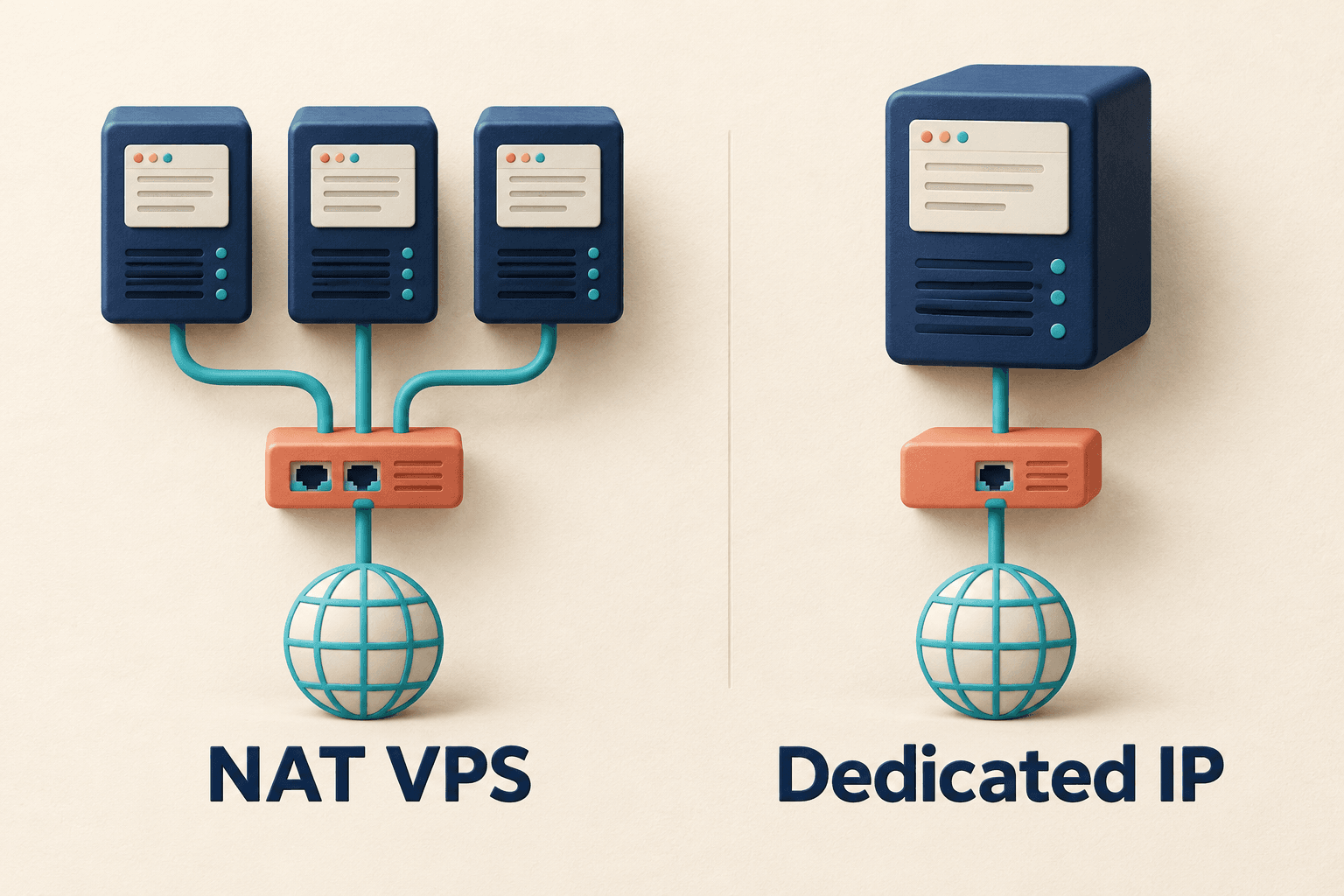
A typical NAT VPS shares a public IPv4 address and uses provider-assigned ports for incoming connections. A VPS with its own public IPv4 is usually easier to use for a public website or other service.
For Linux practice, SSH administration or scripts that mainly initiate outbound connections, NAT can be suitable. For a first public website following an ordinary deployment tutorial, a dedicated public IPv4 usually removes an extra layer of setup. Compare the actual order: “NAT” and “dedicated IP” names alone do not define everything included.
| Feature | Typical shared-IPv4 NAT VPS | VPS with dedicated public IPv4 |
|---|---|---|
| Public IPv4 | Shared by several instances | Assigned individually to this VPS |
| SSH | Provider's public address and external port | Assigned address and actual SSH port |
| Access to your application | Needs a mapping, forwarding request or another ingress | Usually more direct; provider and firewall restrictions still apply |
| Website ports 80 and 443 | Do not assume you can claim them | Usually easier to configure |
| IPv6 | Check availability and reachability separately | Dedicated IPv4 does not imply IPv6 |
| Purchasing questions | Port range, protocols, mapping and extra fees | Included address, restrictions, renewals and permitted use |
Sharing IPv4 does not mean sharing one OS login. A NAT VPS still has its own system and allocated compute resources. Software installation depends on that system, permissions and resource limits.
Think of several apartments sharing a street address but having different entrances. The analogy explains the shared address and separate incoming connections; you do not need to study networking internals first.
NAT translates addresses and conserves public addresses; see Cisco's explanation. Sharing an IPv4 reduces the need to allocate an address per VPS. That can help lower a plan's price, but CPU, RAM, disk, transfer allowances and renewal charges still matter. Compare the saving with the additional access configuration you must maintain.
The provider may assign a shared public address and a specific external SSH port. Enter the details supplied for your instance rather than leaving the client's port at its default.
For a hypothetical activation email:
- Public connection address:
198.51.100.10. - External SSH port:
20022.
Use that address as the host and 20022 as the port, with the correct server username and credentials. These are documentation examples, not a usable server. Providers allocate ports differently; this provider's port-allocation documentation illustrates the distinction between mappings and SSH ingress. Use your own plan's values.
Downloading dependencies or calling an external API initiates outbound traffic. Visitors opening your website, API or game server require inbound access. Callbacks, device connections and web administration interfaces also need individual checks.
Your application must fit the ports and protocols the provider supplies. Opening a port in the VPS firewall does not create a new mapping on the provider's shared IPv4.
Normal HTTP uses 80 and HTTPS uses 443, allowing browsers to omit port numbers. Other ports generally need an explicit port in the URL; see MDN's URL reference.
Some NAT plans include domain forwarding or reverse-proxy access; other suitable networking arrangements can also work. Confirm whether ingress and HTTPS are provided and who configures and maintains them. Pointing a domain at a shared IP alone does not make a standard website tutorial applicable. See whether a VPS needs a domain if the roles are unclear.
- Linux and SSH practice: you accept the assigned connection port.
- Personal scripts and scheduled tasks: mainly outbound requests, with permitted use confirmed.
- Development tests: you know the application's ingress needs and can check mappings.
- A specific IPv6 use case: the plan provides reachable public IPv6, and your devices, networks and target services support it.
Not every script or development tool is outbound-only. Check callbacks, public dashboards and device access before choosing the plan.
For a first public blog, it usually avoids coordinating a shared ingress. Public APIs, fixed ports and varied external connections may also be easier, subject to provider rules and protocol restrictions.
Include your troubleshooting and migration time in the cost. A dedicated IPv4 does not guarantee open ports, faster routing, good IP reputation or exclusive CPU; evaluate those separately.
- Is IPv4 an individual public address or a shared egress? “Includes an IP” is insufficient.
- Which address and external port does SSH use? Can you view them in the dashboard, and do they change after reinstalling?
- Which inbound ports are available? Can you configure mappings yourself or must you request them?
- Are both TCP and UDP supported? A port allowance does not prove a protocol is usable.
- How will a public website be reached? Check 80/443, domain forwarding, alternatives and HTTPS handling.
- Can you add dedicated public IPv4 later? Ask about price, stock, upgrade procedure and migration rules.
Also check transfer limits, renewals, refunds and cancellation. NAT plans do not all follow the same policy.
You can send support this request:
I plan to use [plan name] for [specific application or purpose]. Please confirm whether IPv4 is dedicated or shared, the SSH address and port, available TCP/UDP inbound ports, and an appropriate public access method for this application. If I later need dedicated public IPv4, please explain the price and upgrade procedure.
For useful supporting details, see how to describe a VPS support request.
No. Some plans provide individual public IPv6 and others do not. Your network and visitors' networks must support it too; see the IPv6 VPS guide.
No. Suitable forwarding, a proxy or IPv6 can make one accessible. Check the delivered ingress and your audience's reachability, rather than only whether the web server installs.
No. It describes address allocation, not exclusive CPU or rental of the entire physical machine. Read the compute specifications.
Ask about an appropriate ingress, address upgrade or plan change and check refund/cancellation rules. Avoid repeated system changes or buying a domain before confirming a workable solution.
Choose from your application's access needs first, then compare prices. NAT can serve lightweight outbound tasks; dedicated public IPv4 generally simplifies a long-running public service when you want less shared-ingress administration.