
VPS Tutorials
Snipe-IT on a VPS: Docker, assets, access and recovery
Deploy Snipe-IT with Docker, MariaDB and Caddy. Configure persistent storage, APP_KEY, SMTP, asset imports and QR labels, test permissions and scheduler ownership, and restore backups before upgrades.
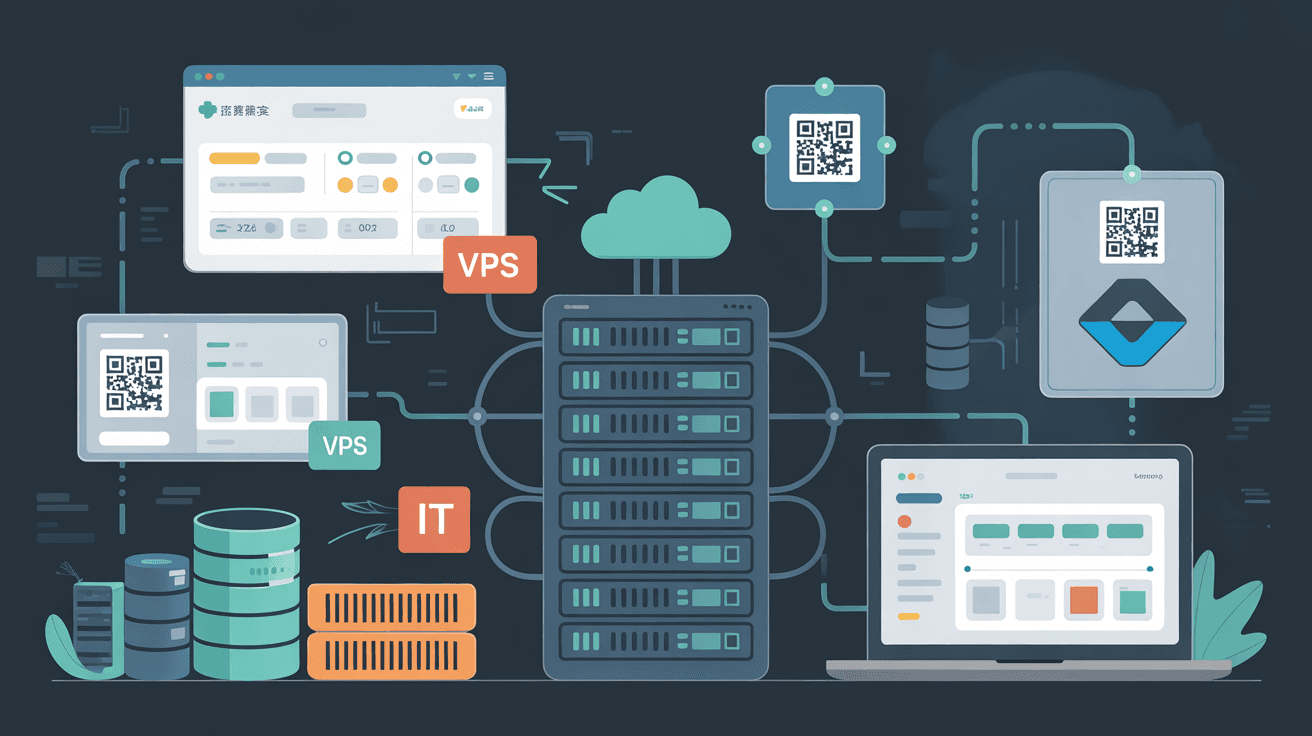
Snipe-IT manages assets, software licenses, accessories, consumables and equipment assignments. A self-hosted instance lets your team maintain asset tags, attachments and custody history under its own administration. You still trust the VPS provider and must maintain the database, email, scheduler, backups and upgrades.
This Ubuntu 24.04, Docker Compose, MariaDB and Caddy guide describes a small-team layout. Pin a supported Snipe-IT release and use its matching environment template and database requirements.
| Resource | Lab budget | Small-team planning budget |
|---|---|---|
| CPU | 2 vCPU | 4 vCPU or more |
| RAM | 2 GB | 4 GB or more |
| Disk | 30 GB SSD | 60 GB SSD or more |
| Host | Ubuntu 22.04/24.04 | Ubuntu 24.04 LTS |
| Domain | snipe.example.com | Dedicated inventory subdomain |
These are planning examples, not capacity guarantees. Imports, reports and growing attachments can exceed the web interface's modest requirements. Check free -h, df -h and docker stats before sharing a host; see VPS sizing. Set working A/AAAA records and permit only necessary management and public 80/443. Keep MariaDB private; consider restricting the entire inventory site to your organization's VPN.
sudo apt update
sudo apt install -y ca-certificates curl openssl
curl -fsSL https://get.docker.com | sudo sh
sudo usermod -aG docker "$USER"
newgrp docker

sudo mkdir -p /opt/snipeit
sudo chown -R "$USER":"$USER" /opt/snipeit
cd /opt/snipeit
openssl rand -base64 32
Review the root-level installer or use Docker's supported packages. Docker-group membership grants powerful host access. Use unique database passwords. For the illustrated Laravel configuration, prefix the generated 32-byte Base64 value with base64: for APP_KEY; never retain the placeholder. Save the key permanently in protected .env and backups. Do not regenerate it when recreating a container.
Docker secrets work only when the application/image knows how to consume them; storing a value in a secret does not automatically replace an environment variable.
This service sketch shows the private web port and persistent application storage. Confirm the database release, image tag and healthcheck against your selected version before using it:
services:
  db:
    image: mariadb:10.11
    restart: unless-stopped
    command: --character-set-server=utf8mb4 --collation-server=utf8mb4_unicode_ci
    environment:
      MYSQL_DATABASE: snipeit
      MYSQL_USER: snipeit
      MYSQL_PASSWORD: change-a-long-password
      MYSQL_ROOT_PASSWORD: change-a-root-password
    volumes:
      - db_data:/var/lib/mysql
    healthcheck:
      test: ["CMD", "healthcheck.sh", "--connect", "--innodb_initialized"]
      interval: 10s
      timeout: 5s
      retries: 15

  snipeit:
    image: snipe/snipe-it:latest
    restart: unless-stopped
    depends_on:
      db:
        condition: service_healthy
    environment:
      APP_ENV: production
      APP_DEBUG: "false"
      APP_KEY: base64:replace-with-a-generated-key
      APP_URL: https://snipe.example.com
      DB_HOST: db
      DB_DATABASE: snipeit
      DB_USERNAME: snipeit
      DB_PASSWORD: change-a-long-password
      MAIL_MAILER: smtp
    ports:
      - "127.0.0.1:8080:80"
    volumes:
      - snipeit_data:/var/lib/snipeit

volumes:
  db_data:
  snipeit_data:
Replace every password/key, pin the image instead of latest, and use the release's official environment template. Keep APP_DEBUG=false. APP_URL must be the final HTTPS URL; DB_HOST=db is the Compose hostname, not localhost inside the application container. The official production example persists /var/lib/snipeit; preserve that actual mount.
docker compose config
docker compose pull
docker compose up -d
docker compose ps
docker compose logs --tail=150 snipeit
Check the effective service names and startup processes. Follow any release-specific initialization, scheduler or queue requirements; a working asset page alone does not prove reminders are running. Protect expanded configuration output because it can reveal credentials.
ssh -L 8080:127.0.0.1:8080 root@SERVER_IP
Open http://127.0.0.1:8080 through the workstation tunnel for initial checks. The temporary HTTP URL is not a substitute for the final HTTPS hostname when testing login links and cookies.
- Set site name, time zone and date format.
- Create a strong administrator password and enable supported MFA.
- Define companies, departments, locations and asset statuses.
- Choose asset-tag rules, serial-number handling and label dimensions.
- Create ordinary users and a deliberately restricted audit role.
- Set allowed attachment types and realistic upload limits.
Keep asset tags stable after deployment. Store purchase year, category and sequence as separate fields where useful; distinguish tag, model and serial number. Test a small sample before importing the full inventory.
sudo apt install -y caddy
sudo nano /etc/caddy/Caddyfile
snipe.example.com {
    encode gzip zstd
    reverse_proxy 127.0.0.1:8080
    header {
        Strict-Transport-Security "max-age=31536000; includeSubDomains"
        X-Content-Type-Options "nosniff"
        X-Frame-Options "SAMEORIGIN"
    }
}
sudo caddy validate --config /etc/caddy/Caddyfile
sudo systemctl reload caddy
curl -I https://snipe.example.com
Use one gateway on public 80/443 and forward to private 8080. Configure APP_TRUSTED_PROXIES for the actual proxy address seen by the container, rather than trusting arbitrary forwarded headers. Match APP_URL and HTTPS cookies; apply HSTS/includeSubDomains only for domains with working HTTPS. See Caddy troubleshooting.
- Use a dedicated sender address and display name.
- Configure SPF, DKIM and DMARC with the sending provider.
- Verify PTR for the actual outgoing SMTP IP; a relay provider normally controls it.
- Test invitations, password reset and scheduled expiry notifications separately.
- Inspect bounces and spam without putting SMTP credentials in public repositories.
Use a provider suited to system notifications. Separate them from a poorly reputed marketing sender. Fill the chosen release's MAIL_HOST, MAIL_PORT, credentials and sender settings; keep SMTP certificate verification enabled. A successful immediate test does not prove the scheduler works.
Prepare CSV columns and consistent serial-number formatting. Resolve blank/duplicate tags and ambiguous serial numbers, import in small batches, and spot-check location, assigned user, warranty date and status. Back up before a large import; importing twice is not necessarily idempotent.
QR labels should contain an asset identifier or detail URL, never passwords or administrator/API tokens. Scan printed labels on a phone and verify both HTTPS and login permissions.
- Give inventory/IT staff only required create, assign and return permissions.
- Treat department-only access as a requirement to implement and test; a department label does not itself enforce row-level isolation.
- Give auditors the supported read-only permissions they actually need.
- Verify ordinary employees can see only the intended assigned assets and information.
- Separate API tokens by integration and define rotation, expiry where supported, and revocation procedures.
Check company-scoping settings and roles with real non-admin accounts before claiming organizational isolation. If using LDAP or supported SSO, retain a protected local emergency administrator and test the identity-provider outage path.
This host cron pattern is appropriate only if the selected image is not already running the scheduler:
* * * * * cd /opt/snipeit && docker compose exec -T snipeit php artisan schedule:run >> /dev/null 2>&1
Inspect the image's scheduled processes and run the command manually first, using its actual application directory and user. Choose one scheduler owner. Do not duplicate container scheduling on the host. Keep protected logs and failure alerts instead of discarding every result; monitor time zones, warranty dates and notification settings. Long reports/imports need overlap controls and database/CPU monitoring. If you deliberately change the default synchronous queue to an asynchronous backend, provide its required worker too.
Recovery needs MariaDB, persistent attachments/application data, configuration and the original APP_KEY. The older example assumes a particular client and volume prefix:
mkdir -p /opt/snipeit/backups
docker compose exec -T db mysqldump -usnipeit -p"YOUR_DB_PASSWORD" snipeit | gzip > /opt/snipeit/backups/snipeit-$(date +%F).sql.gz
docker run --rm -v snipeit_snipeit_data:/data -v /opt/snipeit/backups:/backup alpine sh -c 'tar czf /backup/snipeit-data-$(date +%F).tgz -C /data .'
cp .env docker-compose.yml /opt/snipeit/backups/
Check the actual mounts with Compose/inspect. Current MariaDB images may provide mariadb-dump rather than mysqldump; use the installed supported client and protected credentials. Enable pipefail and verify dump success. Pause writes and scheduling for coherent database/file copies, and copy the active configuration filenames. Never use down -v when preserving data.
Encrypt offsite copies and restore the same release on a clean machine. Verify login, encrypted settings, attachments, QR links, checkout/return history, audit records and email configuration. Suppress real notifications during testing. Follow the restore-drill guide.
docker compose config > /opt/snipeit/backups/compose-$(date +%F).yaml
docker compose pull
docker compose up -d
docker compose ps
docker compose logs --tail=200 snipeit
Record old/new tags, back up first and test the release's migration process. Avoid unattended latest updates. Rolling back a migrated database may require its matching pre-upgrade backup and APP_KEY; an older container alone cannot undo schema changes.
docker compose ps
docker compose logs --tail=200 snipeit
sudo journalctl -u caddy -n 100 --no-pager
ss -lntp | grep -E ':8080|:80|:443'
Check private 8080, the Caddy upstream, application startup, APP_URL, proxy trust and cookie scheme.
Inspect scheduler execution/user, Docker permissions, SMTP connectivity/TLS, sender DNS, provider bounces, asset dates, time zone and notification switches. Distinguish an immediate-mail failure from a scheduled-job failure.
Check PHP/application limits, any explicitly configured proxy/CDN body limits, disk space and actual storage ownership. Caddy does not impose a universal fixed upload limit. Grant only necessary filesystem permissions; do not use world-writable storage as a shortcut. Private VPN access can keep inventory administration off the public internet.
- Domain, HTTPS, administrator login and QR access work.
- SMTP, invitations, reset and reminder messages are tested.
- Database and internal management ports remain private.
- Tags, locations, users and permission boundaries are verified.
- Configuration, APP_KEY, database and attachments have offsite copies.
- A separate instance has passed a restore drill.
- Version, migration and rollback steps are recorded.
Establish data conventions and permissions before importing hundreds of devices. That makes procurement, assignment, repair and return history useful for later inventory checks and audits.