
VPS Tutorials
Set Up Jenkins CI/CD on a VPS (2026): Docker, Caddy HTTPS, GitHub Webhook, Agents and Backups
Deploy Jenkins LTS on a VPS with Docker Compose and Caddy, then set up GitHub Webhooks, WebSocket agents, Jenkinsfile pipelines, permission hardening, backup and restore, upgrades and troubleshooting.
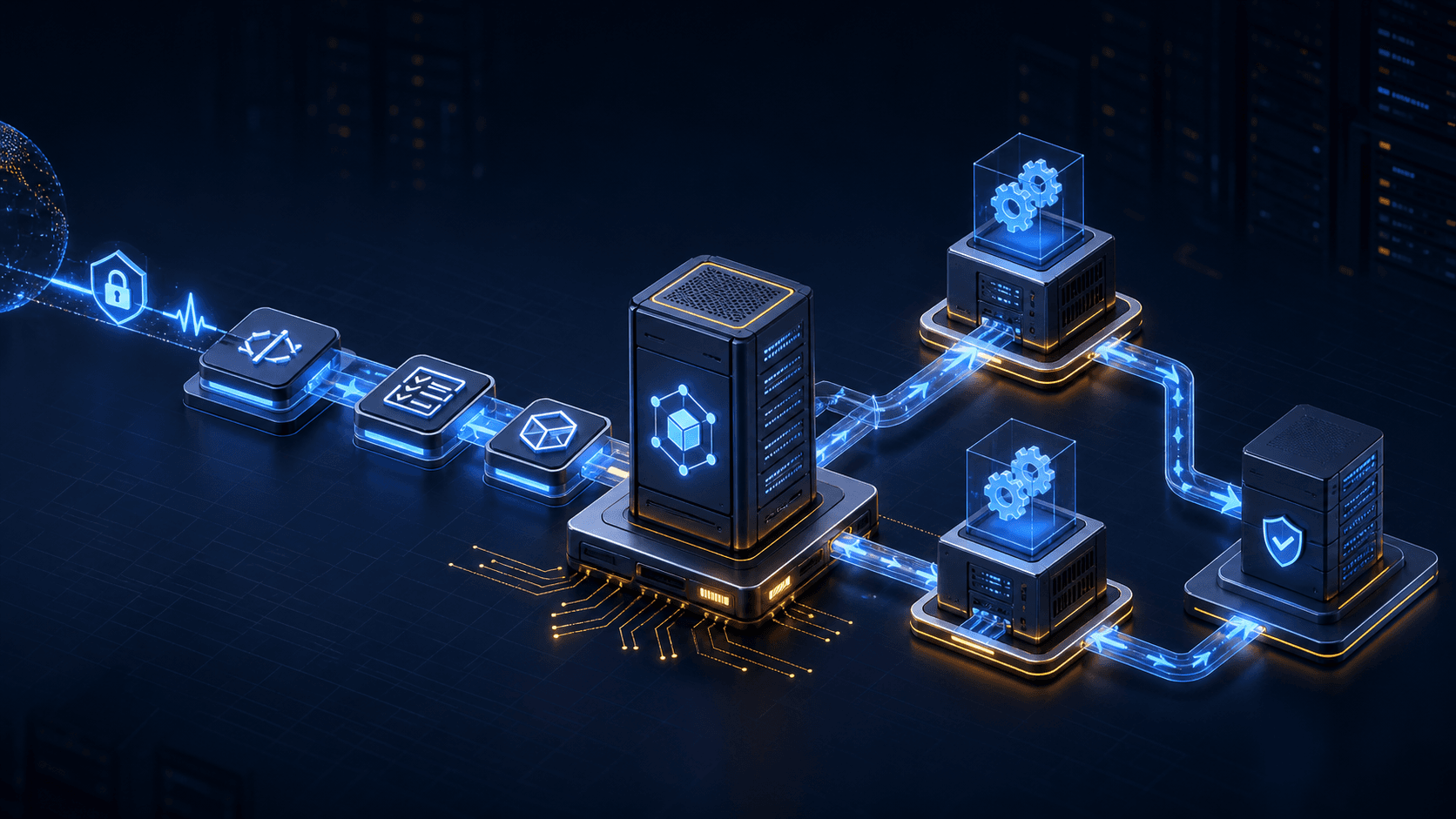
After pushing code to GitHub, you still have to SSH into the server, manually run git pull, install dependencies, run tests and restart services. With a few projects this workflow is tolerable. As projects multiply, the most common problem is not "not knowing how to deploy" but a forgotten step: tests not run, wrong environment variables, a failed version overwriting production, and no record of who did what.
Jenkins solves this automation chain. It can pull code after receiving a GitHub push, run builds, tests, artifact archiving and deployment according to the Jenkinsfile in the repository, and keep logs of every run. But Jenkins can also execute arbitrary build scripts, so the deployment approach cannot stop at "just get it running." The controller, build agents, credentials and Docker permissions must be separated from day one.
This article uses Jenkins 2.568.2 LTS, Java 21, Docker Compose, Caddy and Ubuntu 24.04 as its baseline to build a Jenkins CI/CD environment suitable for small teams. You will complete controller deployment, HTTPS, initial hardening, GitHub Webhooks, pipelines, WebSocket agents, backup and restore, upgrades and common troubleshooting. Version information was checked against the official Jenkins download page in September 2026; at actual install time you should still check the latest LTS and security advisories first.
Jenkins calls its central service the controller. It stores configuration, credentials, jobs and build records, and is responsible for queuing and dispatching jobs to agents. The default installation allows builds to run on the built-in node, which is convenient for trying out features but unsuitable for long-term use.
Build scripts come from repositories and can execute shell commands, download dependencies, run tests and even call Docker. As long as they run on the controller, they may read $JENKINS_HOME, plugin configuration and credential-related files. Jenkins officially recommends setting the controller's number of executors to 0 and handing all builds to agents.
This article uses the following structure:
GitHub Push / Pull Request
          |
          | HTTPS Webhook
          v
       Caddy :443
          |
          | 127.0.0.1:8080
          v
  Jenkins Controller
    仅编排,不执行构建
          ^
          | WebSocket over HTTPS
          |
    Jenkins Build Agent
    拉代码、测试、构建
WebSocket agents actively connect to the controller and only use the existing HTTPS 443, so there is no need to expose Jenkins' TCP agent port 50000 to the public internet.
Jenkins' strengths are its many plugins, freedom of deployment location, ability to connect to internal networks, and management of agents on different systems and architectures. The cost is that you must maintain the controller, plugins, credentials, backups and upgrades yourself.
| Option | Strengths | Main costs | Better suited for |
|---|---|---|---|
| Jenkins | High self-hosting freedom, mature plugin and agent ecosystem | Requires maintaining controller, plugins and security policies | Multiple environments, internal-network builds, existing Jenkins experience |
| GitHub Actions | Direct GitHub integration, hosted runners work out of the box | Deeply tied to GitHub, complex self-hosting still needs ops | GitHub projects and standard pipelines |
| GitLab CI | Integrated with GitLab repositories, permissions and artifacts | Self-hosted GitLab itself is resource-intensive | Teams already using GitLab CE |
If all your code is on GitHub and the workflow is not complex, GitHub Actions self-hosted runners usually save management time. If you need a self-hosted code platform with integrated issues, registry and CI, see the GitLab CE and Runner deployment tutorial. When you already have multiple internal systems, cross-platform builds or many Jenkins jobs, self-hosted Jenkins is the better fit.
Jenkins' official Docker installation documentation recommends 4GB+ RAM and 50GB+ disk for small teams. That is only the starting point for the controller and light usage; what really consumes resources is compilation, testing, Docker images and artifacts.
| Scenario | Controller recommendation | Agent recommendation |
|---|---|---|
| Learning and personal projects | 2 vCPU, 4GB RAM, 50GB SSD | Can temporarily share the same machine, but use a separate container and user |
| Small teams of 3–10 | 2–4 vCPU, 4–8GB RAM, 80GB SSD | Start with a separate 4 vCPU, 8GB RAM machine |
| Java/Android/large frontend builds | Keep the controller stable | 8 vCPU, 16GB+, scale by build peaks |
| Multi-architecture or high concurrency | Dedicated controller | Multiple labeled ephemeral agents |
If the controller and agents share a single 4GB VPS, compilation can easily push the management UI into OOM. On a tight budget, at least set container memory limits and set agent executors to 1. A safer approach is a small, stable VPS for the controller and another machine that can be rebuilt at any time for agents.
Don't look only at the Jenkins installation package when sizing disks. The following will keep growing:
- Configuration, plugins and build records in
$JENKINS_HOME; - Agent workspaces, dependency caches and temporary files;
- Docker images, BuildKit caches and container layers;
- Archived artifacts, test reports and console logs;
- Local backups.
Prepare a dedicated domain, for example ci.example.com, and point its A record to the controller VPS. Do not add AAAA records unless IPv6 is correctly configured.
The controller only needs:
| Port | Purpose | Recommendation |
|---|---|---|
22/TCP | SSH management | Restrict to admin IPs, use key login |
80/TCP | Caddy certificate validation and redirects | Open to the public internet |
443/TCP | Jenkins web, Webhooks, WebSocket agents | Open to required sources |
8080/TCP | Jenkins container HTTP | Bind only to 127.0.0.1 |
50000/TCP | Traditional inbound agents | Not used in this article, do not open |
GitHub.com needs to deliver Webhooks to Jenkins, so 443 must be reachable from the public internet. If Jenkins only serves an internal network, you can skip GitHub Webhooks and use a controlled tunnel, a GitHub App or scheduled SCM polling instead; don't expose the entire management backend unprotected just for one callback.
If you hit "the container is fine but the domain won't open," follow the port, firewall, security group and listening address troubleshooting guide to check from local ports outward, rather than disabling UFW right away.
The following uses Ubuntu 24.04 as an example. Install Docker from the official Docker repository; if you already have a Docker environment, don't run one-click scripts of unknown origin.
sudo apt update
sudo apt full-upgrade -y
sudo apt install -y ca-certificates curl caddy openssl jq

docker --version
docker compose version
sudo systemctl enable --now caddy
Production environments also need log rotation, resource limits, health checks and rollback; check them against the Docker Compose production configuration checklist.
sudo install -d -m 750 -o "$USER" -g "$USER" /opt/jenkins
cd /opt/jenkins
This article uses a Docker named volume to store $JENKINS_HOME. The service user UID in the official Jenkins image is usually 1000; named volumes reduce the permission problems common with host bind mounts.
Create /opt/jenkins/compose.yaml:
services:
  jenkins:
    image: jenkins/jenkins:2.568.2-lts-jdk21
    container_name: jenkins-controller
    restart: unless-stopped
    environment:
      JAVA_OPTS: >-
        -Djava.awt.headless=true
        -Djenkins.install.runSetupWizard=true
      JENKINS_OPTS: >-
        --httpPort=8080
    ports:
      - "127.0.0.1:8080:8080"
    volumes:
      - jenkins_home:/var/jenkins_home
    mem_limit: 3g
    cpus: 2.0
    healthcheck:
      test: ["CMD-SHELL", "curl -fsS http://127.0.0.1:8080/login >/dev/null || exit 1"]
      interval: 30s
      timeout: 10s
      retries: 10
      start_period: 90s
    logging:
      driver: json-file
      options:
        max-size: "10m"
        max-file: "5"

volumes:
  jenkins_home:
    name: jenkins_home
Here 50000 is deliberately not mapped, and /var/run/docker.sock is not mounted into the controller. Giving the Docker socket to the controller is equivalent to granting host-level privileges to anyone who can control builds; later we will move builds to a separate agent.
mem_limit: 3g is a starting point for a VPS with 4GB+ RAM running only the controller. If the same machine also runs databases or other applications, reallocate memory based on actual usage; don't copy the numbers and let the system swap long-term.
First check the final configuration:
cd /opt/jenkins
docker compose config --quiet
docker compose pull
docker compose up -d
docker compose ps
The first start needs to unpack Jenkins, initialize directories and load plugin metadata, so the health check may take a minute or two. View the logs:
docker compose logs -f --tail=200 jenkins
After you see the message that Jenkins has finished starting, press Ctrl+C to exit the logs. Confirm the port is bound only to the loopback address:
curl -fsSI http://127.0.0.1:8080/login
ss -lnt | grep ':8080'
The expected listening address is 127.0.0.1:8080, not 0.0.0.0:8080.
Create or edit /etc/caddy/Caddyfile:
ci.example.com {
    encode zstd gzip
    reverse_proxy 127.0.0.1:8080

    header {
        Strict-Transport-Security "max-age=31536000; includeSubDomains"
        X-Content-Type-Options "nosniff"
        Referrer-Policy "strict-origin-when-cross-origin"
    }
}
Caddy passes the Host by default and sets X-Forwarded-For, X-Forwarded-Proto and X-Forwarded-Host. This is exactly the information Jenkins needs to generate correct HTTPS redirects and callback addresses.
Check and reload:
sudo caddy validate --config /etc/caddy/Caddyfile
sudo systemctl reload caddy
sudo systemctl status caddy --no-pager
curl -fsSI https://ci.example.com/login
Putting Jenkins at the root path of a dedicated subdomain is the simplest. If you must use https://example.com/jenkins/, the controller and reverse proxy must use exactly the same context path, and you must add --prefix=/jenkins for Jenkins. Changing only the path in Caddy without changing Jenkins commonly results in 404s for static resources, redirects to wrong URLs, or backend warnings about a broken reverse proxy. For more reverse proxy configuration, see the Caddy automatic HTTPS tutorial.
First visit https://ci.example.com/ to see the Unlock Jenkins page. Read the one-time password:
cd /opt/jenkins
docker compose exec jenkins \
  cat /var/jenkins_home/secrets/initialAdminPassword
After pasting the password, install the suggested plugins and create a new personal administrator. Don't keep using a shared admin long-term, and don't save the initial password in team chat.
After the initial wizard, go to Manage Jenkins → System and set Jenkins URL to:
https://ci.example.com/
This address is used for Webhooks, email and page links. It must match the HTTPS address users actually visit, otherwise the backend may warn It appears that your reverse proxy setup is broken.
Go to:
Manage Jenkins → Nodes → Built-In Node → Configure
Set Number of executors to 0 and save. Jobs without an agent will now wait in the queue; this is normal. Finish the agent configuration before starting real builds.
Go to Manage Jenkins → Security:
- Keep authentication enabled; do not allow anonymous users to have admin or job configuration permissions;
- Even small teams should not use
Logged-in users can do anythingas a long-term authorization strategy; - When installing and configuring Matrix Authorization Strategy, start from least privilege;
- Only a few administrators should have
Overall/Administer; - Restrict
Credentials/Createand job configuration permissions; - Keep Agent → Controller Access Control enabled; don't disable it just to silence errors from old plugins.
If the management backend must be publicly accessible, add a VPN, identity proxy or fixed IP restriction in front of Caddy. When Webhooks and the management UI share a domain, test the restriction rules separately so you don't block /github-webhook/ as well.
More plugins mean more complex dependencies and security updates. To start, you usually only need:
- Pipeline;
- Git;
- GitHub or GitHub Branch Source;
- Credentials Binding;
- Matrix Authorization Strategy;
- Docker Pipeline, if you want to use it in agents.
After installing, go to Manage Jenkins → Plugins to check updates and security warnings. Don't install plugins that have been unmaintained for years just to copy an old tutorial.
Agents can run on another VPS, or temporarily in a separate container on the same host as the controller. The single-machine approach doesn't provide high availability, but at least it prevents build processes from directly reading jenkins_home.
In Jenkins, go to:
Manage Jenkins → Nodes → New Node
Create a Permanent Agent, for example:
- Node name:
linux-agent-01 - Number of executors:
1 - Remote root directory:
/home/jenkins/agent - Labels:
linux docker-small - Usage: Only build jobs with label expressions matching this node
- Launch method: Launch agent by connecting it to the controller
- WebSocket: enabled
After saving, Jenkins shows the connection command and agent secret. The secret is effectively the agent's login credential; don't write it into Git.
Create .agent.env in /opt/jenkins:
cd /opt/jenkins
umask 077
cat > .agent.env <<'EOF'
JENKINS_URL=https://ci.example.com/
JENKINS_AGENT_NAME=linux-agent-01
JENKINS_AGENT_SECRET=把这里替换为节点页面显示的真实Secret
EOF
chmod 600 .agent.env
Add the agent under services in compose.yaml. This uses the official JDK 21 inbound agent image:
  agent:
    image: jenkins/inbound-agent:jdk21
    container_name: jenkins-agent-01
    restart: unless-stopped
    env_file:
      - .agent.env
    command:
      - -url
      - ${JENKINS_URL}
      - -secret
      - ${JENKINS_AGENT_SECRET}
      - -name
      - ${JENKINS_AGENT_NAME}
      - -webSocket
      - -workDir
      - /home/jenkins/agent
    volumes:
      - jenkins_agent_work:/home/jenkins/agent
    mem_limit: 3g
    cpus: 2.0
    logging:
      driver: json-file
      options:
        max-size: "10m"
        max-file: "5"
Also add the following at the bottom of the file under volumes:
  jenkins_agent_work:
    name: jenkins_agent_work
There is an easily overlooked issue here: Compose by default only reads .env for ${变量} expansion, while env_file only puts variables into the container. The simplest approach is to change command to fixed non-sensitive URLs and node names, and expand only the secret from .env; or specify it explicitly at startup:
cd /opt/jenkins
docker compose --env-file .agent.env config --quiet
docker compose --env-file .agent.env up -d agent
docker compose logs --tail=100 agent
Confirm on the Jenkins node page that the status is Connected. WebSocket connections go through https://ci.example.com/ and don't need 50000.
jenkins/inbound-agent:jdk21 mainly provides the agent runtime and does not automatically include Node.js, Maven, Go, the Android SDK or the Docker CLI. Build your own agent image with pinned versions for whatever tools your project needs. For example:
FROM jenkins/inbound-agent:jdk21

USER root
RUN apt-get update \
    && apt-get install -y --no-install-recommends git curl make \
    && rm -rf /var/lib/apt/lists/*
USER jenkins
Don't let agents run as root permanently. Every image change should go through code review, and record tags or digests for base images.
Many tutorials add the following line to agents:
- /var/run/docker.sock:/var/run/docker.sock
This does let you run docker build immediately, but a build with access to the Docker socket is essentially equivalent to having host root privileges. Anyone who can modify the Jenkinsfile could mount the host root directory, read other containers' secrets or control the controller.
Safer options include:
- Use a dedicated, rebuildable agent VPS that runs nothing else;
- Use short-lived VMs or Kubernetes pod agents;
- Use a remote BuildKit/Docker builder protected by TLS;
- Use fully isolated agents without production credentials for untrusted pull requests;
- Split production deployment and ordinary testing into different agents, labels and credential scopes.
If it's just a personal project and you accept the risk of a Docker socket on the same machine, still make it clear that this agent is a disposable build machine that doesn't run databases, password managers or other critical services.
Jenkins credentials should not be written into pipeline scripts or job parameters. Go to:
Manage Jenkins → Credentials
Choose by purpose:
- Pulling private repositories: deploy key or least-privilege GitHub App;
- Calling the GitHub API: GitHub App or least-privilege fine-grained PAT;
- Deployment servers: dedicated SSH key;
- Registry: dedicated bot account or short-lived token.
Scope credentials to specific folders where possible rather than making everything global. Jenkins officially recommends starting from "no permissions by default" and only granting access to projects and people who actually need it.
Pipelines reference secrets by credential ID and never read the real value. For example:
withCredentials([string(credentialsId: 'registry-token', variable: 'TOKEN')]) {
    sh '''
      set +x
      ./scripts/publish.sh "$TOKEN"
    '''
}
Using triple single quotes in Groovy lets the shell expand variables at runtime, reducing the risk of secrets appearing in process arguments or logs after Groovy interpolation. Even though Jenkins tries to mask them, never put untrusted pipelines and production credentials in the same permission scope.
After installing the GitHub plugin, the common Webhook URL is:
https://ci.example.com/github-webhook/
Don't miss the trailing slash. Go to the GitHub repository:
Settings → Webhooks → Add webhook
Fill in:
- Payload URL:
https://ci.example.com/github-webhook/ - Content type:
application/json - Secret: generate a separate random value and use the same value in the corresponding Jenkins GitHub Server/Webhook configuration
- Events: select only the Push, Pull request and other events the job needs
- Active: enabled
Generate the secret:
openssl rand -hex 32
Don't reuse the admin password, GitHub PAT or agent secret. The Webhook secret verifies that requests come from someone holding that secret and should not grant GitHub API permissions.
In the job, enable GitHub hook trigger for GITScm polling; for Multibranch Pipelines, configure GitHub Branch Source so the plugin scans branches and pull requests.
On the GitHub Webhook page, click Recent Deliveries to check:
- The HTTP status code;
- The event type and Delivery ID in Request Headers;
- The Response content;
- Whether the corresponding Jenkins job was triggered.
Receiving HTTP 200 only means the endpoint accepted the request, not that the pipeline ran. Also check the repository URL, branch rules, job trigger and Jenkins system logs.
It's recommended to write the pipeline into Jenkinsfile at the repository root rather than keeping it only in the Jenkins web UI. This way the build process follows code review and version history.
The following is a minimal example that doesn't touch production servers directly:
pipeline {
    agent { label 'linux' }

    options {
        timestamps()
        disableConcurrentBuilds()
        buildDiscarder(logRotator(numToKeepStr: '30'))
        timeout(time: 20, unit: 'MINUTES')
    }

    stages {
        stage('Checkout') {
            steps {
                checkout scm
            }
        }

        stage('Environment') {
            steps {
                sh '''
                  set -eu
                  uname -a
                  git --version
                '''
            }
        }

        stage('Test') {
            steps {
                sh '''
                  set -eu
                  ./scripts/ci-test.sh
                '''
            }
        }

        stage('Package') {
            steps {
                sh '''
                  set -eu
                  ./scripts/ci-package.sh
                '''
            }
        }
    }

    post {
        always {
            junit allowEmptyResults: true, testResults: 'reports/**/*.xml'
            archiveArtifacts allowEmptyArchive: true, artifacts: 'dist/**'
        }
        cleanup {
            deleteDir()
        }
    }
}
Put language- and framework-specific commands into the repository's scripts/ci-test.sh and scripts/ci-package.sh, so they run both locally and in Jenkins; troubleshooting is easier than stuffing dozens of shell lines into Groovy.
Create a Pipeline or Multibranch Pipeline, choose Pipeline script from SCM, and fill in the repository and Jenkinsfile path. On the first run, confirm the job shows on linux-agent-01, not the Built-In Node.
After tests and packaging pass, many people just do:
ssh root@production "cd /app && git pull && docker compose up -d"
This command is simple, but it hands the root private key to the build environment, and rollback and auditing are weak. A better minimum standard is:
- Create a system user dedicated to deployment with password login disabled;
- Store the SSH key only in a Jenkins credential in a specific folder;
- Restrict the commands and directories the deployment user can access;
- Build artifacts with immutable version numbers or digests first;
- Deploy an explicit version rather than the live
git pull; - Automatically stop and roll back when health checks fail;
- Require approval for production deployments or allow only protected branches to trigger them.
Don't let pull requests from external contributors touch deployment credentials. Pull request test agents and production deployment agents should use different labels, networks and credential scopes.
Jenkins jobs can keep a limited number of build records via buildDiscarder, but Docker caches and agent workspaces still grow.
Check weekly:
df -h
docker system df
docker volume ls
docker compose logs --tail=100 jenkins
Don't run docker system prune -a --volumes without confirming what it does. It may delete images, caches and unmounted volumes that other projects still need. Recommendations:
- Set build retention per job;
- Upload large artifacts to object storage or an artifact repository;
- Use dedicated disks for agents;
- Set a controlled cache cleanup policy for Docker BuildKit;
- Alert separately on
$JENKINS_HOMEand agent workspaces; - Don't pile local backups on the same system disk long-term.
Jenkins configuration, plugins, jobs and build records are mainly in $JENKINS_HOME, which corresponds to the named volume jenkins_home in this article. When consistency requirements are high, the official recommendation is filesystem or storage snapshots. Small teams can also stop the controller during a maintenance window and create an archive.
Create the directory:
sudo install -d -m 700 -o "$USER" -g "$USER" /opt/jenkins/backups
sudo install -d -m 700 -o "$USER" -g "$USER" /opt/jenkins/controller-key
First enter Quiet Down and wait for current builds to finish:
Manage Jenkins → Prepare for Shutdown
Stop the controller, then archive the volume:
cd /opt/jenkins
docker compose stop jenkins

docker run --rm \
  -v jenkins_home:/data:ro \
  -v /opt/jenkins/backups:/backup \
  alpine:3.22 \
  tar --exclude='./workspace' \
      --exclude='./caches' \
      --exclude='./secrets/master.key' \
      -czf "/backup/jenkins-home-$(date +%F-%H%M%S).tar.gz" \
      -C /data .

docker compose start jenkins
docker compose ps
Jenkins officially warns that master.key should not be stored with regular backups. Anyone with both the regular backup and the controller key can decrypt credentials stored by Jenkins. Copy the key separately to another strictly controlled encrypted store:
docker run --rm \
  -v jenkins_home:/data:ro \
  -v /opt/jenkins/controller-key:/key \
  alpine:3.22 \
  sh -c 'umask 077; cp /data/secrets/master.key /key/master.key'

chmod 600 /opt/jenkins/controller-key/master.key
After copying to an offline password vault or separate encrypted storage, don't upload the controller key and regular archives to the same bucket or credential scope. Regular backups themselves contain sensitive configuration and must be encrypted.
Besides the volume, also back up:
/opt/jenkins/compose.yaml;- The Caddyfile;
- Custom agent Dockerfiles;
- The plugin list and Jenkins image version;
- An encrypted copy of
.agent.envor the process for re-registering agents; - Restore steps and the most recent drill results.
After backup, sync to another machine or object storage. For specific restic, rclone, retention policies and restore drills, see the VPS backup and restore drill guide.
Don't wait until the controller disk fails to unpack a backup for the first time. Drill at least quarterly in an isolated environment:
- Create an empty volume;
- Unpack
jenkins-home-*.tar.gz; - Restore
secrets/master.keyfrom a separate secure location; - Start with the same Jenkins image and plugin versions as the backup;
- Log in and check jobs, folders, credential metadata and nodes;
- Run a pipeline without production permissions against a test repository;
- Verify Webhooks, agents and artifact archiving;
- Record the recovery time objective and any missing files.
Don't casually upgrade Jenkins and all plugins during a restore. The goal of disaster recovery is to restore the original state first; version upgrades should be a separate change with backups and testing.
Jenkins LTS updates its baseline and fixes periodically. Before upgrading:
- Read the LTS changelog, upgrade guide and security advisories;
- Back up
$JENKINS_HOMEand the separate controller key; - Export installed plugins and versions;
- Test controller startup and key pipelines on a backup copy;
- Check the Java version and plugin minimum Jenkins versions;
- Keep the old image and complete rollback steps.
List plugins:
cd /opt/jenkins
docker compose exec jenkins \
  jenkins-plugin-cli --list
After confirming the new version, change compose.yaml to an explicit LTS tag; don't use an untraceable latest in production configuration. Then:
cd /opt/jenkins
docker compose pull jenkins
docker compose up -d jenkins
docker compose logs -f --tail=200 jenkins
Clean up old images only after login, agent reconnection, Webhooks and test pipelines are verified. Plugin updates should also be done in batches; updating dozens of plugins at once makes it hard to identify which dependency caused a failure.
cd /opt/jenkins
docker compose ps
docker compose logs --tail=200 jenkins
curl -fsSI http://127.0.0.1:8080/login
ss -lnt | grep ':8080'
If local 127.0.0.1:8080 doesn't work either, fix the Jenkins container, memory or volume permissions first; if local works, check Caddy, DNS and the firewall.
Check whether Manage Jenkins → System → Jenkins URL is the external HTTPS address, and confirm Caddy passes the Host and X-Forwarded-* correctly. If using a subpath, the controller's --prefix and the Caddy path must match.
Check in order:
- The event type in GitHub Recent Deliveries;
- Whether the Payload URL ends with
/github-webhook/; - Whether the job has GitHub Hook Trigger enabled;
- Whether the job repository URL matches the payload repository;
- Multibranch branch discovery rules;
- The GitHub plugin and system logs;
- Whether the queue is waiting because no matching agent exists.
Check the agent logs:
cd /opt/jenkins
docker compose --env-file .agent.env logs --tail=200 agent
curl -fsSI https://ci.example.com/login
Common causes include a wrong URL path suffix, an updated agent name or secret, Caddy not supporting normal WebSocket connections, a certificate chain not trusted by the agent, and incorrect system time. Recreating a node invalidates the old secret, so you must update .agent.env accordingly.
Confirm the agent is Connected, the labels match the Jenkinsfile's agent { label 'linux' }, and the agent executors are not 0. Keeping the controller executors at 0 is the correct configuration; don't run builds on the controller again just to make the queue disappear.
The inbound agent image is not a complete build environment. Enter the agent and check:
docker compose --env-file .agent.env exec agent sh
java -version
git --version
Missing tools should be added to a versioned agent Dockerfile and the image rebuilt; don't manually install into a running container each time, because changes disappear after a rebuild.
docker run --rm -v jenkins_home:/data alpine:3.22 \
  sh -c 'ls -ldn /data; find /data -maxdepth 1 -printf "%u:%g %p\n" | head'
The official image usually runs as UID 1000. Don't just run chmod -R 777, which would make credentials and configuration readable by other processes. First find out whether a root-run backup container, a wrong bind mount or manual copying changed ownership, then fix it with the exact UID/GID.
df -h
docker system df
docker run --rm -v jenkins_home:/data:ro alpine:3.22 \
  du -h -d 2 /data | sort -h | tail -30
Focus on job build records, archived artifacts, workspaces, plugin caches and agent Docker layers. Confirm retention requirements before deleting, and don't empty the jenkins_home volume as if it were a cache.
- Jenkins uses explicit LTS and JDK 21 image tags;
-
8080binds only to127.0.0.1; -
50000is not exposed without purpose; - Caddy HTTPS, Jenkins URL and external domain match;
- The initial admin password has been replaced;
- Built-in node executors are
0; - Builds run only on agents with explicit labels;
- The controller does not mount the Docker socket;
- Agent secrets and
.agent.envpermissions are controlled; - Anonymous users and ordinary logged-in users have no excessive permissions;
- The number of plugins is controlled and security warnings are handled;
- GitHub Webhooks subscribe only to needed events;
- GitHub, registry and deployment credentials use least privilege;
- Untrusted pull requests cannot access production credentials;
- Jobs, artifacts and Docker caches have retention policies;
-
$JENKINS_HOMEhas encrypted off-machine backups; -
master.keyis stored separately from regular backups; - The restore process has been run in an isolated environment;
- The LTS upgrade guide and plugin compatibility are checked before upgrades.
Jenkins officially recommends 4GB+ RAM and 50GB+ disk for small teams. When the controller only handles orchestration, 2–4 vCPU and 4GB RAM can be a starting point; compilation, testing and Docker builds should run on separate agents. If the controller and agents share a machine, at least 8GB is recommended, with agent concurrency limited.
No. Inbound agents can connect via WebSocket through Jenkins' existing HTTPS address, so no extra TCP agent port is needed. This article uses that approach. Only when explicitly using the traditional TCP agent protocol do you need to evaluate a fixed port and firewall rules.
Technically yes, but it's very risky. A process that controls the Docker socket can usually gain host root-level capabilities, and the controller also stores configuration and credentials. At minimum, move Docker builds to separate agents; production environments should prefer ephemeral agents, dedicated build VPSs or remote builders.
The common URL for the GitHub plugin is https://你的Jenkins域名/github-webhook/; note the trailing slash. After GitHub returns 200, you still need to confirm the event type, repository match, job trigger, branch rules and agent queue; don't rely on the HTTP status alone.
Not quite. Regular $JENKINS_HOME backups must be encrypted and stored off-machine, and secrets/master.key should be stored separately in a different security domain per official recommendations. Also keep the Compose file, Caddyfile, custom agent images, plugin versions and restore steps, and actually perform restore drills.
When all code is on GitHub and pipelines are fairly standard, GitHub Actions usually requires the least maintenance. If you already self-host GitLab, prefer GitLab CI. When you need internal network access, multi-system agents, complex plugins or migration of existing jobs, Jenkins' flexibility is more valuable, but you must accept the ongoing operational cost of plugins, security and backups.
- Jenkins downloads and LTS versions
- Jenkins official Docker installation
- Jenkins controller isolation
- Jenkins agent usage guide
- Jenkins network ports and WebSocket agents
- Jenkins GitHub plugin and Webhooks
- Jenkins credential security
- Jenkins backup and restore
- Jenkins reverse proxy troubleshooting
The real go-live standard for Jenkins is not that the homepage opens, but that the controller doesn't run builds, agent permissions are controllable, Webhooks trigger accurately, credentials don't end up in logs, backups can be restored, and failed upgrades can return to the original state. First run commits, tests, artifacts and failure notifications through a test repository without production permissions, then connect real deployments; that's much safer than handing Jenkins root keys from the start.