
VPS Tutorials
Image hosting for a VPS: R2, galleries, caching and backups
Choose object storage, Chevereto, Lychee or a phone-photo library by workload. Configure an R2 bucket, domain and scoped upload key, understand Standard pricing and hotlink limits, optimize images and migrate with independent, tested backups.
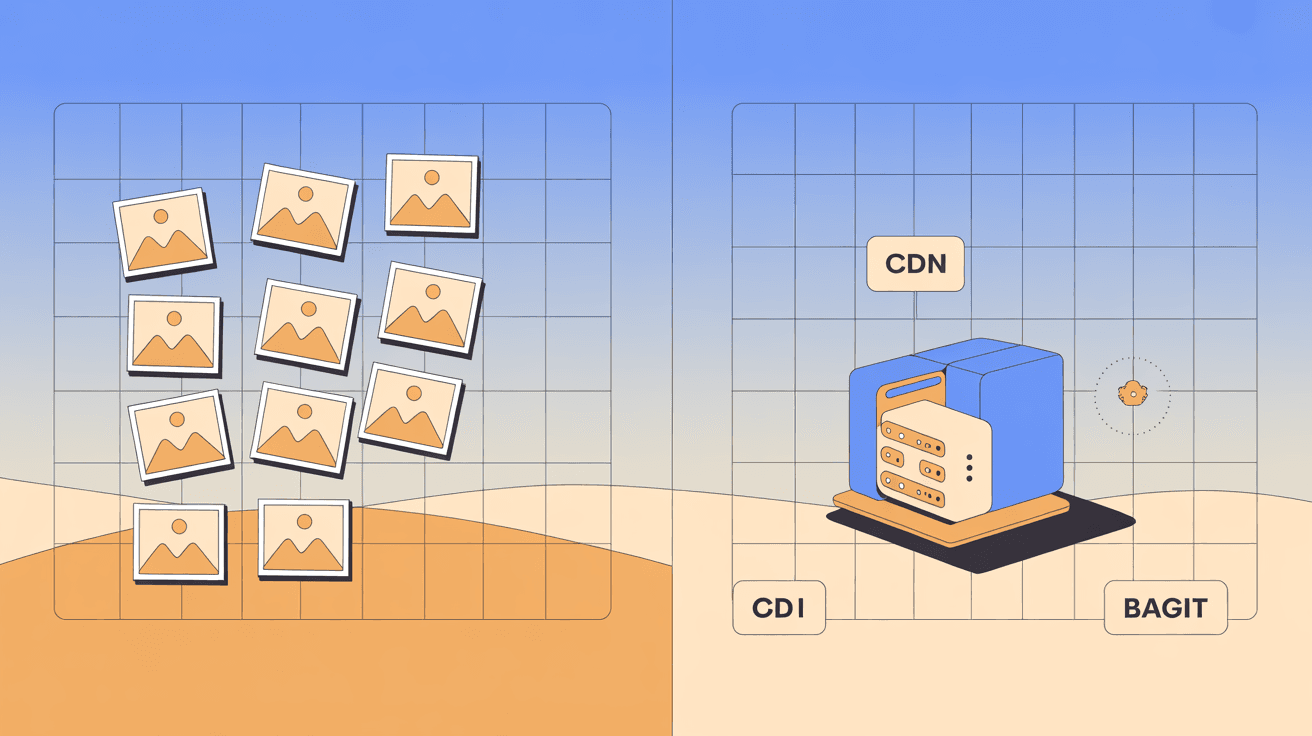
For a blog, shop or documentation site, image hosting affects page speed, transfer bills and whether you can recover the files when a service changes. Choose the storage and URL strategy before uploading a large collection.
This guide separates hosting your own images, operating an upload/gallery service and backing up a phone library. It also covers an R2 setup, access controls, optimization and migration without promising that a CDN makes every location fast.
| Need | Useful starting point |
|---|---|
| A few hundred blog illustrations a year | Object storage, with an uploader |
| Users, uploads and shared galleries | An image application such as Chevereto or Lychee, according to its features |
| Automatic phone-photo backup | A photo-library application such as Immich |
Hosting your own files needs stable delivery and backups. Running an upload service additionally needs accounts, quotas, moderation, safe file handling and application maintenance. Do not take on those costs unless you need the features.
Images delivered by storage/CDN do not consume the web VPS's transfer allowance in the same way as files served from that VPS. A page with ten images might transfer 2–5 MB, while its HTML is only tens of KB; actual size depends on the assets. Include storage operations and CDN charges in the comparison.
Cloudflare's Standard-storage pricing provides this useful reference; confirm the current account terms before committing:
| Item | Monthly free allowance | Standard rate beyond it |
|---|---|---|
| Storage | 10 GB-month | $0.015 per GB-month |
| Class A operations | 1 million | $4.50 per million |
| Class B operations | 10 million | $0.36 per million |
| R2 egress | No R2 egress charge | No R2 egress charge |
Class A/B include more than a simple write/read distinction; consult the operation definitions. Infrequent Access has different charges and conditions, and the free allowance does not apply identically. Workers, transformations and other services can still cost money. R2's egress policy is useful for frequently read images, but it does not make the entire architecture free.
At 200 KB per image, 10 GB is roughly 50,000 files before variants and billing-unit differences. Treat that as capacity arithmetic, not a claim every blog stays within the free tier.
- Create an R2 bucket.
- Attach a domain such as
img.example.com. - Upload files with an authenticated tool.
- Embed their public URLs in your pages.
r2.dev is a development endpoint with limits, rather than the preferred production URL. Choose an upload workflow:
- PicGo offers a convenient interface through a compatible, trusted S3/R2 integration.
- rclone suits batches and scripted transfers.
- An S3 API client can integrate uploads into an application. R2 supports a subset of S3; verify the required features.
Choose Automatic if automatic location selection fits your needs. It selects a bucket location; it does not mean the bucket itself is replicated into every region. Location hints are not the same as a contractual jurisdiction requirement. Choose the supported jurisdiction option if your data has a residency constraint.
Add img.example.com through the bucket's custom-domain settings. The domain must be present in the appropriate Cloudflare account; follow the managed DNS connection flow, not an arbitrary record pointing at the S3 endpoint. Keep r2.dev disabled for production if you do not need its independent public access path.
Create an Object Read & Write token restricted to this bucket. Save:
- Access Key ID.
- Secret Access Key.
- The endpoint, shaped like
https://<accountid>.r2.cloudflarestorage.com.
Store the secret in a password manager when shown; never embed it in public pages or client-side code.
| Field | Value |
|---|---|
| Endpoint | Your account's R2 S3 endpoint |
| Bucket | The selected bucket name |
| Access key/secret | The scoped upload credential |
| Public domain | https://img.example.com |
| Object path | A predictable layout such as {year}/{month}/ |
Use unique names as well as directories to prevent accidental overwrites. Protect the uploader's local configuration and verify that its returned URL uses the public domain rather than the private API endpoint.
# 拿到 URL 后测试能否访问,以及响应头里的缓存设置
curl -I https://img.example.com/2026/09/test.png
Check 200, the expected content-type, actual image content and cache headers. An HTTP success alone does not prove the uploaded object is the intended image.
Create suitable cache rules for img.example.com. A month-long edge TTL can suit public, immutable image URLs. Do not apply Cache Everything to private responses or files that are replaced under the same name without a purge/versioning strategy. Set object metadata and browser caching deliberately; custom domains give access to Cloudflare's supported delivery controls.
- Use a controlled production domain and evaluate CDN delivery from your users' locations. Follow the Cloudflare CDN guide; there is no universal latency or mainland-China accessibility guarantee.
- Keep published URLs stable. A custom domain and unchanged object paths make provider migration easier; redirects or a controlled origin switch may still be necessary.
- Budget for growth, operations and variants. Remove only genuinely unused files after checking references, and retain an independent backup.
MinIO can provide S3-compatible storage on your infrastructure, subject to the selected release's licensing, support and API coverage. A client endpoint change alone does not copy data, permissions or metadata.
| Consideration | R2 | Self-hosted MinIO |
|---|---|---|
| Storage | Standard free allowance, then usage charges | Your disk capacity and cost |
| Transfer | No R2 egress charge | VPS allowance and network charges |
| Operations | Managed storage; you still manage access and backups | Server, upgrades, access and backups |
| Data control | Your account at Cloudflare | Your system, with hosting-provider trust still relevant |
| Disaster recovery | Provider durability plus your independent copies | You design offsite recovery |
See whether object storage is useful and MinIO deployment. An existing large-disk server with several TB of transfer or a tens-of-dollars annual quote may suit some workloads; those examples are not current offers or a guarantee of better economics. Sensitive data also needs an actual access/encryption and residency plan.
Choose an application when you need uploads, galleries, accounts and moderation, then verify the edition's exact features.
Chevereto is a mature PHP/database image-sharing project dating to 2007. Its free edition uses AGPL licensing; commercial editions have different terms and features. As checked on November 16, 2026, the free repository's latest release is 4.5.9, released November 2; 4.5.7 is an older version reference. Confirm which edition provides APIs, external storage, authentication and other required features.
A 1 GB server can be tight under uploads, thumbnail generation and database load. Its breadth suits communities or a team platform, but adds administration for someone who only needs a few public image URLs.
Lychee is an MIT-licensed gallery focused on photos, albums, originals and metadata. Its checked latest release is v7.13.0 from November 9, 2026; v7.10.0 is an earlier reference. Check supported database and image-processing requirements for that release. SQLite can suit supported small installations, but it does not establish that every workload is lighter than Chevereto.
Evaluate the current user/sharing features for a personal gallery, photography portfolio or small team rather than assuming it lacks all multi-user functions.
This project has roots in the Chinese image-hosting ecosystem and supports storage integrations, including some aimed at that market. Check the edition, support language and actual backend you need. A previously cited February 2026 commit date is a maintenance snapshot, not proof that the project is currently abandoned. Inspect releases, security fixes and PHP compatibility before selecting it.
EasyImages is a lightweight PHP upload option. Verify the selected repository/version's GPL-2.0 licensing and requirements; lightweight does not necessarily mean a literally single-file application. It may suit a minimal upload interface, but still needs safe uploads and maintenance.
- Maintain the application runtime, database where required, reverse proxy and certificates.
- Validate file type, decoding, size and permissions; prevent uploaded files from executing.
- Set quotas, access and abuse controls appropriate to who may upload.
- Back up files and application metadata, then test recovery.
Star counts such as 4.3k for Lychee, 3.8k for EasyImages or 115k for Immich are historical popularity snapshots, not evidence of security or ongoing support. Inspect the current project itself.
Immich provides phone synchronization and library features such as timelines and face search. It supports sharing, but those links should not automatically be treated as permanent, portable URLs for a public site's assets. Follow the Immich guide when phone-photo backup is the objective.
Keep the asset-hosting and library-backup requirements separate so you do not build an awkward workflow around manual link extraction.
Large image libraries increase backup and migration time and use the same server's transfer budget. Separate code deployments from media backups, retain original object paths and document recovery. Separation can be logical rather than necessarily another VPS.
Local storage may be reasonable for a low-traffic site with less than about 1 GB of images, or an adequately provisioned server whose migration costs you accept. Monitor growth rather than treating one threshold as a universal rule.
For images served by your own Nginx:
location ~* \.(jpg|jpeg|png|gif|webp|avif)$ {
    valid_referers none blocked server_names
                   *.your-site.com your-site.com;

    if ($invalid_referer) {
        return 403;
    }

    expires 30d;
    add_header Cache-Control "public, immutable";
}
Adapt the allowed domains. none blocked permits missing or obscured Referer headers, including some direct visits; it also means such requests can bypass this check. Referer can be forged, so this is a bandwidth-management aid, not authentication. The immutable cache header is suitable only for versioned content that will not change under the same URL.
R2 does not provide a universal native bucket Referer whitelist equivalent to Nginx. Use supported custom-domain edge rules, a Worker or appropriate authenticated/signed access for private material; S3 policies and capabilities differ. Ensure an alternate public endpoint does not bypass your intended control. Add traffic/cost alerts because header checks alone do not cap a bill.
| Method | Practical consideration |
|---|---|
| WebP or AVIF | Often smaller than JPEG; a 25–50% reduction is illustrative, not guaranteed |
| Appropriate dimensions | Around 1200 px may suit an article image; account for display density and zoom needs |
| Lossy quality around 80 | Compare visible detail; neither identical appearance nor half-size is guaranteed |
| Lazy loading | Defer offscreen images, while keeping important above-the-fold images prompt |
A 2 MB PNG might become a 150 KB WebP, turning ten images from 20 MB into about 1.5 MB; actual screenshots and settings can differ substantially. Preserve originals and check small text, transparency and color.
Use Squoosh for occasional browser-based work, ImageMagick/cwebp for batches, or the supported image pipeline in Astro/Next.js. PNG screenshots are not inherently impossible to compress; compare lossless and lossy options instead of assuming JPEG improves text. Confirm where each tool processes sensitive images.
| Workload | Starting option |
|---|---|
| Small public blog | R2 and a compatible uploader such as PicGo |
| Many public assets | Object storage plus measured CDN delivery |
| Infrastructure control requirements | A supported self-hosted storage deployment |
| Public image-sharing community | Evaluate Chevereto's appropriate edition |
| Gallery/portfolio | Evaluate Lychee |
| Phone backup | Immich |
| Minimal upload interface | Evaluate EasyImages and its upload protections |
For ordinary public illustrations, object storage is often the least administration. It is a recommendation based on that workload, not the only possible architecture.
Can a service disappear? Yes. An exportable bucket and your own domain improve portability, but providers can suspend accounts or change terms. Keep independent copies; free upload hosts without export are especially difficult to leave.
Will URLs last? Domain renewals, account access, bucket/object paths and delivery settings all matter. A custom domain gives you control, not an eternal-link guarantee.
Do you need a CDN? It often helps repeated public reads; measure cache hit rate, origin requests and relevant locations. Free-plan suitability depends on features and usage.
Can an image-sharing site pay for itself? Model transfer, processing, storage, moderation and maintenance before counting on advertisements.
Will overseas images be fast? Measure your audience's actual paths. Mainland-China connectivity has particular CDN/network conditions that must not be generalized to all readers; a CDN does not guarantee availability or remove filtering.
How do you migrate? Start with a copy and verify files/metadata:
# 用 rclone 批量同步
rclone copy /srv/app/uploads/ r2:mybucket/uploads/ --progress
Retain paths behind your domain where possible; if URLs change, update references and keep appropriate 301 redirects. Do not remove the old origin before verifying delivery and rollback.
How do you back up? Object storage is not an independent backup. The mirror command below deletes destination files missing from the source, so preview with --dry-run and do not use it as your only recovery copy:
rclone sync r2:mybucket /backup/r2-mirror/ --progress
Use retained versions or dated independent copies, offsite storage and a tested restore process. A source deletion must not silently erase every copy.
Which formats? Compare the actual assets:
- Photos often suit WebP or AVIF.
- Screenshots, icons and transparency may suit PNG or carefully tested alternatives.
- Animation may suit animated WebP or video rather than a large GIF.
WebP has broad modern-browser support, but test the clients you serve and provide fallbacks when needed.
Separate domain or a path? img.example.com often makes storage routing easier than example.com/img/. A reverse-proxied path can also be portable. Either way, DNS alone cannot translate changed object paths or configure a new provider's TLS and access policy.