
VPS Tutorials
Host multiple websites on one VPS: routing, isolation and backups
Plan capacity for several sites, choose a panel or gateway, configure domains and HTTPS, separate users and databases, and restore each site independently. Learn when another server is necessary.
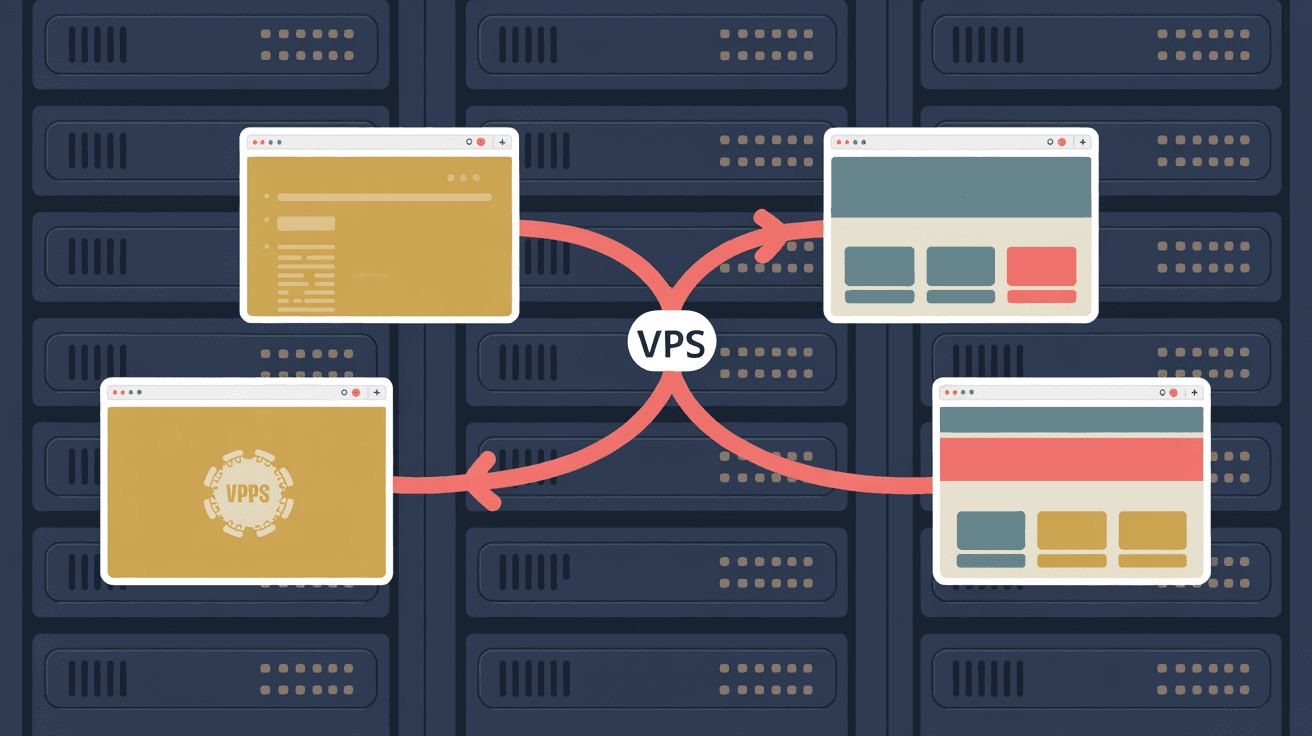
One VPS can serve several domains. The useful question is how those sites share memory, database capacity and the consequences of a failure. A few small sites may fit comfortably on a low-cost server; a busy plugin-heavy site can consume the same machine by itself.
This guide covers three deployment routes, domain routing, HTTPS, separate application identities, resource limits and backups that let you restore one site independently. Site counts and memory figures are planning examples, not benchmark results or guarantees.
Memory is often the first constraint on a small VPS, but CPU, storage latency, connection limits and bandwidth can also dominate. Leave room for the OS, gateway, database, monitoring and deployment peaks.
| Workload | Original planning range | What to measure |
|---|---|---|
| Static HTML, Hugo or Astro output | Almost no separate application RAM | Shared gateway, cache, traffic and build jobs |
| Lightweight PHP, such as Typecho | 60–120 MB per site | Worker count and actual resident memory |
| WordPress with plugins | 150–300 MB per site | Concurrent workers, plugins and database load |
| Node.js or Python application | 80–250 MB per site | Runtime, background tasks and peak requests |
| Separate database instance | Another 100–300 MB or more | Buffers, connections and maintenance |
Halo is a Java application, so it does not belong in the lightweight PHP row. Measure its JVM separately. The original examples of dozens of static sites, 4–6 PHP sites or 2–3 WordPress/application sites on 1 vCPU/1 GB only illustrate different workloads; they are not a safe capacity promise. A 4-vCPU/8-GB server hosting ten sites is equally dependent on what those sites do.
- MySQL may consume 300–400 MB or substantially more. Sharing one instance can save memory, but give every site its own database and account; size
innodb_buffer_pool_sizeagainst the whole server. - PHP-FPM multiplies memory through
pm.max_children. Ten busy children can exhaust a 2-GB machine, depending on the application. - A panel may use 200–400 MB or more before any site runs. Check its services and workload instead of assuming a fixed overhead.
Use VPS sizing to create a budget, then measure a representative traffic peak.
| Route | Best fit | Benefit | Responsibility |
|---|---|---|---|
| A maintained control panel, including BT/aaPanel or 1Panel where supported | Operators who prefer a GUI | Site and certificate management | Extra services, security updates and access control |
| Host Nginx or Caddy | Operators comfortable with configuration | Small, explicit gateway configuration | TLS, permissions and service management |
| Separate Compose projects behind one gateway | Applications with different dependencies | Reproducible runtime environments | Images, networks, limits and persistent data |
Assign one service ownership of ports 80/443. Panels, containers and a host proxy can coexist when their roles are explicit. Two independent gateways claiming the same ports will fail even if nginx -t accepts a configuration.
Create a directory, configuration and certificate for each site. Check the panel's supported OS, language, license and installed stack rather than assuming every panel offers the same functions.
Before exposing its administration interface:
- Restrict access to your administration IPs or a private network.
- Enable supported MFA and use a separate administrator account.
- Change unnecessary defaults, including the management port where appropriate, and keep the panel patched. A different port reduces scan noise but does not replace authentication or filtering.
A compromised privileged panel can affect every site on the host. Per-site directories alone do not contain that failure.
One gateway accepts requests and routes them by hostname. The following Caddy example serves two static sites and proxies an application:
site-a.com {
    root * /srv/site-a
    file_server
}

site-b.com {
    root * /srv/site-b
    file_server
}

app-c.com {
    reverse_proxy 127.0.0.1:3000
}
Replace the example domains and verify A/AAAA records, public reachability and readable document roots. Caddy manages certificates for those names when its configured challenge can succeed. See Caddy configuration.
Nginx separates sites into server blocks using server_name:
server {
    listen 80 default_server;
    server_name _;
    return 444;          # 兜底:没匹配到域名就直接断开
}

server {
    listen 80;
    server_name site-a.com www.site-a.com;
    root /srv/site-a;
    index index.html index.php;
}
This is a routing sketch, not a PHP deployment configuration. It includes index.php without a FastCGI handler: do not place PHP source or secret configuration in a static document root and expose this block unchanged. Use a complete per-site PHP-FPM configuration, or explicitly deny PHP requests for a static site.
The default_server block rejects unmatched HTTP names; 444 is Nginx's connection-close response. Configure the corresponding IPv6/TLS default where needed. Hostname routing is not authentication: an internal dashboard still needs private access or authorization. Nginx Proxy Manager provides a GUI, with its own administration and update requirements.
Use one Compose project per application. Keep application ports on a private network, or publish them only on host loopback when a host gateway is used. A gateway container must address upstream containers through their network names; its own loopback does not refer to the host.
Different projects can use different supported Node/Python versions without sharing a host runtime. Node 18 is an example of an old dependency, not a recommendation for a new deployment. Containers share the host kernel and are not a substitute for separate VMs when hosting mutually untrusted customers.
- Images, build caches and logs consume disk; several projects can occupy tens of GB. See Docker disk cleanup.
- Budget application memory, not simply the number of containers.
- Diagnose the complete gateway → container network → application path.
- Set resource and log limits using production Compose practices.
Create A records for each hostname using the same IPv4 address. Add AAAA only when IPv6 reaches the same service. Operational DNS, certificate and gateway limits still matter even though one IP can host many domains.
| Certificate approach | Example | Suitable use |
|---|---|---|
| Certificate for one site's names | certbot --nginx -d a.com -d www.a.com | Sites change independently |
| One SAN certificate for several sites | certbot --nginx -d a.com -d b.com -d c.com | A stable set of names |
| Wildcard certificate | certbot certonly --dns-cloudflare -d '*.example.com' | Many subdomains |
Wildcards require DNS-01. A wildcard for *.example.com does not cover example.com itself; request the apex separately or include both names. The certbot-dns-cloudflare plugin needs a protected, narrowly scoped DNS credential and the required options; the short command is not a complete credential setup.
With Cloudflare proxying, use Full (strict) and a valid origin certificate. An Origin CA certificate serves the Cloudflare-to-origin connection; ordinary browsers do not trust it for direct origin access. Forward the original scheme correctly, including X-Forwarded-Proto $scheme when the host gateway terminates HTTPS. If another trusted proxy terminates TLS, configure its forwarding trust deliberately; never accept arbitrary client-supplied scheme headers. Flexible mode or inconsistent scheme detection can cause redirect loops.
systemctl list-timers | grep certbot
sudo certbot renew --dry-run
Check the actual renewal mechanism: distribution packages, Snap and Caddy may use different services. Investigate renewal failures before expiry.
/srv/
├── site-a/          # 站点 A 的文件
├── site-b/
├── site-c/
└── shared/
    └── backups/     # 各站备份,独立子目录
Create dedicated application identities instead of running every site as www-data:
sudo useradd -r -s /usr/sbin/nologin sitea
sudo useradd -r -s /usr/sbin/nologin siteb
sudo chown -R sitea:sitea /srv/site-a
sudo chown -R siteb:siteb /srv/site-b
Ownership alone is insufficient. Public files with 755/644 permissions remain readable to other local users. Keep secrets outside document roots with restrictive permissions, such as 0600 owned by the application's user. Arrange only the gateway's necessary read/traverse access; do not give every application membership in a shared group that can read all site secrets.
Run each service and PHP-FPM pool under its own user. If all processes use www-data, a file-read vulnerability may expose another site's wp-config.php. Separate users help only when permissions, group membership and process identities enforce that separation.
PHP's open_basedir adds an application-level restriction:
; /etc/php/8.3/fpm/pool.d/site-a.conf
php_admin_value[open_basedir] = /srv/site-a:/tmp
It is not a complete security boundary. Prefer per-site temporary directories over shared /tmp where practical. Match the PHP version/path to your installed package and verify legitimate uploads, sessions and libraries still work.
A traffic spike, leak or scheduled job can consume resources shared by every site. OOM is one possible cause of simultaneous 502 responses; check kernel/service logs rather than assuming a particular percentage of incidents.
# systemd 服务限内存和 CPU(应用类站点)
MemoryMax=512M
CPUQuota=50%

# Docker 容器限资源
docker run --memory=512m --cpus=1 ...
MemoryMax and CPUQuota are systemd unit directives, not shell commands. Add them to the appropriate service configuration and reload it. The Docker line is an abbreviated command requiring a real image and options. CPUQuota=50% limits CPU time relative to one CPU; tune each budget against the host.
Limit every PHP pool's pm.max_children:
; 小站给 3-5 个就够
pm = dynamic
pm.max_children = 5
pm.max_requests = 500
Complete the dynamic pool with start/spare-server settings, a distinct socket and the site's user/group. Five children is a starting example; derive the number from observed worker memory and the available budget. pm.max_requests can recycle workers but cannot repair an application leak.
- Sum database connections across all sites and workers;
max_connectionsis shared. - Schedule large backups and batch jobs away from peaks; check
iowaitand disk latency. - Swap or ZRAM can absorb some bursts, but cannot replace RAM or fix sustained contention.
Give each site its own database and credentials:
CREATE DATABASE site_a;
CREATE USER 'site_a'@'127.0.0.1' IDENTIFIED BY '强密码';
GRANT ALL PRIVILEGES ON site_a.* TO 'site_a'@'127.0.0.1';
Replace the example password with a strong secret. Match the account's host to the connection method: 127.0.0.1 uses TCP, while localhost often selects a Unix socket. Scope privileges to the site's database; never share database root credentials.
Keep the database on loopback or an appropriate private container network; do not expose it publicly. Do not set a container database to loopback if other containers need to reach it: remove public port publishing instead.
Prevent uploaded PHP from executing in uploads/:
location ~* /wp-content/uploads/.*\.php$ {
    return 403;
}
Place this rule before a generic regex PHP handler and test the complete configuration. It addresses the shown PHP path, not every executable extension or application upload flaw. Review Nginx hardening.
Sites sharing vulnerable plugins can be compromised independently, even on different machines. Patch every affected copy. Separate hosts reduce the consequences of a host compromise; they do not repair a shared software vulnerability.
A single tar czf all-sites.tar.gz /srv /etc/nginx /var/lib/mysql archive makes selective recovery difficult, and copying a live database directory does not create a reliable database backup. Store a site's files, database, gateway/service configuration and dependency identities together.
The original starting script is:
#!/usr/bin/env bash
set -euo pipefail

SITE=site-a
DATE=$(date +%F)
DEST=/srv/shared/backups/$SITE

mkdir -p "$DEST"

# 文件
tar czf "$DEST/${SITE}-files-${DATE}.tar.gz" -C /srv "$SITE"

# 该站单独的数据库
mysqldump --single-transaction "site_${SITE//-/}" \
    | gzip > "$DEST/${SITE}-db-${DATE}.gz"
Correct its database mapping before running it: SITE=site-a expands the shown expression to site_sitea, whereas the SQL example creates site_a. Specify the actual database explicitly. Use protected authentication, an output directory inaccessible to sites, restrictive permissions and a timestamp that does not overwrite another backup from the same day.
--single-transaction gives a transactional InnoDB view when its requirements are met. It does not cover non-transactional tables, concurrent schema changes or file/database consistency. Quiesce application writes or use a tested consistent snapshot workflow; check pipeline exits, archive integrity and recovery.
- Transfer encrypted copies off the host, to another server or object storage.
- Retain multiple generations so deletion or ransomware does not immediately replace every good copy.
- Perform an isolated restore drill, with mail and integrations disabled, and restore only the intended site.
Let the gateway own public 80/443. Host application listeners such as 3000/8000 should normally use 127.0.0.1 when the gateway is local.
sudo ss -lntp 'sport = :3000'
Identify the owner before stopping anything. An old application instance can prevent a replacement from starting with EADDRINUSE. Check systemd, panel services and Docker port mappings; see port conflict troubleshooting.
| Signal | Interpretation |
|---|---|
| Sustained memory pressure, for example over 80%, with little headroom or OOM events | Investigate the workload; the percentage is a warning threshold, not a universal rule |
| One site's peaks degrade its neighbors | Limits or scheduling no longer provide acceptable service |
| Different customers or requirements need stronger separation | Separate security and operational boundaries |
| All sites must not fail together | One host remains a shared failure point |
| Persistent disk saturation | Split or reschedule storage-heavy work |
Increasing the existing VPS may be simpler, but leaves the same host failure point. Moving some sites to another VPS adds isolation and administration work. Compare current total cost, backup capacity and performance rather than assuming two cheap servers always cost less.
The original provider examples are RackNerd, Vultr and Contabo. Check current regional availability, renewal price and measured performance; price alone does not establish storage latency. BandwagonHost and CN2 GIA are relevant specifically when mainland-China connectivity is a requirement, not a general advantage for every reader or an uptime guarantee.
For application/database/storage separation, see splitting a VPS architecture. For availability, read small-site load balancing and HA architecture.
How many domains can share one VPS? Many; practical limits are resources, gateway configuration and DNS/certificate administration, not a single-domain-per-IP rule.
Can domains share a certificate? Yes, with SAN certificates such as certbot -d a.com -d b.com, or a suitable wildcard. Observe the CA's current limits. Renewal testing with --dry-run uses the testing workflow; use staging when repeatedly experimenting with issuance.
Does a DDoS against one site affect the others? It can exhaust shared bandwidth or origin capacity. Use suitable upstream protection; container limits alone do not protect the network connection.
Can panels and Docker coexist? Yes, with one public gateway and private upstream ports/networks. Do not publish a second gateway on ports already owned by the panel.
Does sharing an IP harm SEO? Shared hosting is normal. There is no automatic penalty simply for sharing an IP, and no basis here to quantify extra manual-review risk. Each site's quality, security and availability still matter.
- Size the VPS for the actual site types.
- Configure Caddy for domain routing.
- Decide what to split when contention persists.
- Verify recovery for each site.
- Set Compose limits and logging for container projects.