
VPS Tutorials
Choose website software for a VPS: static sites, WordPress and CMS
Compare static generators, Typecho, WordPress, Halo, Ghost, headless CMS and custom development by resources, editorial workflow, maintenance, SEO and recovery. Use current release references and realistic operating costs to choose a suitable stack.
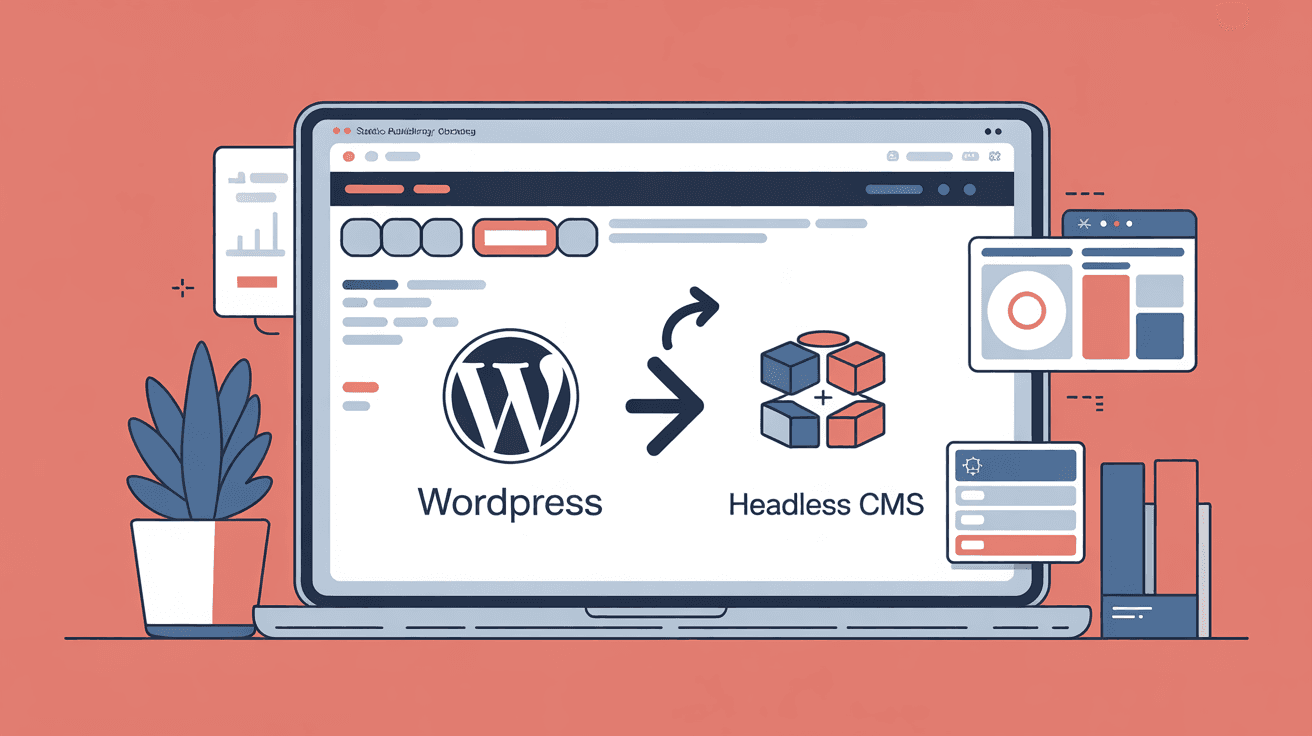
Once the VPS and domain are ready, choosing the website software determines much of the maintenance that follows. Switching later means migrating content, URLs, integrations and habits, not merely reinstalling an application. This guide compares static sites, WordPress, lightweight publishing tools, headless CMS and custom development. The linked deployment guides cover installation.
- Articles, illustrated posts and documentation: start with a static generator or publishing tool.
- Accounts, transactions and complex interactions: evaluate an established CMS or application framework.
- Both: separating publishing and application features can help, but is not mandatory.
- Static output removes a public application/database layer, but the OS, web server, build dependencies and attached services still need maintenance.
- Blogging software needs updates and security monitoring.
- WordPress requires coordinated core, theme and plugin maintenance; respond to urgent fixes when released, not only once a month.
A 1 vCPU / 1 GB machine may suit a small static site or carefully sized dynamic blog. Neither dozens of static sites nor WordPress failure is guaranteed: traffic, assets, PHP workers and database memory matter. Use the VPS sizing guide.
The source's memory ranges exclude the OS and Nginx and are rough examples, not benchmarks. Count every process, including databases, when budgeting the actual stack.
| Route | Source memory example | Database | Maintenance | Learning effort |
|---|---|---|---|---|
| Static Hugo/Astro | Approximately 0 application runtime | Not required for generated pages | Low | Command/build workflow |
| Typecho | 100–200 MB | SQLite is an option | Low | Relatively accessible |
| WordPress | 250–450 MB | MySQL/MariaDB | Higher | Accessible editing |
| Halo | 400–600 MB | Source examples: PostgreSQL/MySQL; check release support | Medium | Accessible editing |
| Ghost | 300–500 MB | Supported MySQL for production | Medium | Accessible editing |
| Headless CMS/frontend | 300 MB+ | Backend-dependent | Medium/high | Higher |
Static files still need web-server memory, filesystem cache and bandwidth; “approximately zero” means no separate runtime for the generated application. Astro in server-rendered mode is not a static-only deployment.
Hugo, Astro, VitePress and Hexo can build Markdown into HTML outside the VPS, then deploy files.
Advantages:
- No public CMS login or runtime database is needed for static output, reducing that attack surface. The server, build chain and third-party scripts can still be vulnerable.
- Several small sites can share a modest VPS if capacity is measured.
- Cached/static delivery can handle traffic efficiently, subject to bandwidth and connection limits.
- Generated files are easy to copy; preserve source, build configuration and secrets separately.
- Markdown fits Git versioning.
Tradeoffs:
- The default workflow uses local editing and deployment rather than a web editor; a separate editorial CMS can provide one.
- Content changes require rebuilding and deploying affected output.
- Comments, search and analytics need integrations or generated indexes.
- Nontechnical collaborators need an editing interface or assistance, rather than being inherently unable to contribute.
Good fits include technical blogs, documentation, landing pages and brochure sites. At the 16 November 2026 check, Hugo's release listing shows 0.170.0 and Astro's package registry 7.4.12, superseding the source's 0.166/7.3 examples. Check plugins and the current build-runtime requirements. Hugo often offers a straightforward Markdown build; Astro supports more frontend choices. Neither is universally fastest or best.
Serve generated output with Nginx or Caddy; see Caddy hosting. RackNerd annual plans are examples to evaluate, with current renewal and resource limits checked.
WordPress has a large global theme/plugin ecosystem and a browser editor suitable for mixed technical teams. Availability of documentation, plugin quality and support languages varies; a large ecosystem does not prove that every feature has a safe maintained plugin. See the WordPress deployment guide. The official update API checked for this edition lists 7.1.4, replacing the source's 7.1.2 reference.
Maintenance costs include:
- core/theme/plugin updates with compatibility checks and rollback preparation;
- exposed plugin functionality and promptly addressing known vulnerabilities;
- growing complexity and request cost as plugins accumulate—the source's 40-plugin, three-second homepage is an anecdote, not a measured rule;
- supported PHP/database versions: PHP 8.2 security support ends 31 December 2026, so plan a compatible upgrade now.
WordPress's reported PHP 7.4 minimum is a compatibility floor, not a recommendation to use an unsupported runtime. Evaluate supported PHP 8.3/8.4 or later against your exact plugin/theme set; PHP 8.3 security support runs through December 2027 and 8.4 through December 2028.
Choose WordPress for frequent online editing, established commerce/member/form features or nontechnical editors. Performance problems can arise from PHP-FPM sizing, database queries, missing caches, external requests and plugins; diagnose before buying a larger server. Use the WordPress performance checklist. A simple blog may need fewer features than this stack supplies.
The official release listing still shows 1.3.0, published in January 2026. It is a lightweight PHP blogging tool with a Chinese-centered community; check the available interface translations, documentation and plugins for your team.
Its small package—the source's roughly 170 KB example is distribution-dependent—and SQLite option can reduce operational complexity. SQLite is a database, so this avoids a separate database server, not database backups. A 512 MB deployment is possible only when PHP, OS and traffic budgets fit; back up a consistent SQLite database together with uploads/configuration, not an arbitrary live directory copy.
The smaller theme/plugin ecosystem may require source-level troubleshooting. Consider it for a personal blog or modest content site when the language/support fit is acceptable. See the blog deployment comparison.
Halo is Java-based and offers a modern editorial interface with themes/plugins. The official release listing checked here shows 2.27.3, superseding the source's 2.26.1. The source's near-40,000-star reference is historical and does not measure suitability or security; editor/plugin quality remains subjective.
JVM overhead deserves an explicit budget. The source's 400–600 MB range and suggested 2 GB VPS are starting examples, not universal limits. Check the release's supported database, interface languages and community resources. See Spring Boot memory budgeting. It suits readers who prefer its publishing workflow and can maintain Java and the chosen database.
Ghost is Node-based and focused on publishing, memberships, newsletters and paid content. The registry check shows 6.77.0, replacing the source's 6.65 reference. Confirm the exact version's Node and MySQL requirements; a package version alone does not prove the VPS is compatible.
Built-in publishing features can reduce plugin assembly, but bulk email and payments still depend on supported providers, credentials, eligibility and fees. Do not assume those services are free or available in every country. Ghost's focused model is less adaptable to arbitrary applications than a general CMS. Its Node/database stack needs capacity and backups; self-hosting can give control but is not automatically cheaper than managed hosting once operational work is counted. See Ghost deployment.
Separate content storage/API from presentation:
- Backends include Directus, Strapi, Payload and hosted services such as Sanity; verify hosting model, licensing and database requirements.
- Frontends include Next.js, Nuxt, Astro and mobile applications.
The same content can feed a website and multiple apps, with separate frontend choices and caching/rendering strategies. The cost is coordinating API permissions, preview, publication, frontend deployment and two sets of dependencies. Publishing may trigger a static build, revalidation or immediate server rendering; it does not inherently require a full rebuild.
This route suits multiple consumers and a highly customized frontend. It can also serve a personal blog when there is a concrete need and maintenance capacity. See the Directus guide.
Decide whether the priority is publishing or learning development. A learning project can be valuable, but launching an established option first helps avoid months without a usable site.
Custom development may require authentication, editor, uploads, caching, SEO metadata, RSS, sitemap, authorization and secure operations. Established tools supply many of these; RSS/sitemap availability still depends on the chosen setup. Start with a maintained solution and build custom features only when actual requirements justify the work.
| Situation | Option to evaluate | Reason |
|---|---|---|
| Technical blog/documentation | Hugo/Astro | Static delivery and a versioned build workflow |
| Small blog on 1 GB | Typecho with SQLite | No separate database server; verify PHP capacity |
| Broad evolving features | WordPress | Large ecosystem, with maintenance budget |
| Modern editorial UI, 2 GB+ | Halo | Evaluate its interface and JVM requirements |
| Paid content/newsletter | Ghost | Focused publishing, subject to provider support |
| Website and apps share content | Headless CMS | Reusable structured content/API |
| Brochure/landing pages | Static site | Simple delivery for suitable requirements |
If uncertain, technical writers can try Hugo and browser-oriented editors WordPress. These are starting suggestions, not universal answers.
Panels such as 1Panel or BaoTa help install services/certificates, but do not remove application maintenance. The source's 200–400 MB panel estimate is illustrative; budget the installed panel and services, especially on 1 GB. Check supported interface languages and access controls. See control panel selection.
Treat $10 as a budget example, not a current verified offer. Experiment on a test subdomain or separate instance rather than repeatedly changing production content and URLs. Certificate, integration and search changes still take work.
Even the source's 8-core/16-GB example can remain slow with expensive plugins or requests. Inspect PHP workers, queries and caching before resizing; hardware can still be the bottleneck when measurements show it.
They can: Giscus and Algolia are service options, while Pagefind builds a local search index and does not require a hosted search backend. Consider privacy, availability and maintenance before adding dependencies.
Choose the simplest route meeting real needs, while preserving exportable data and stable URLs. Extra complexity consumes time before it provides value.
The source's maintenance estimates are planning illustrations, not survey results or patch schedules:
| Route | Illustrative monthly work | Rough three-year total | Typical tasks |
|---|---|---|---|
| Static site | 0–10 minutes | A few hours | Generator/dependency and hosting updates |
| Typecho | 15 minutes | 9 hours | Updates and compatibility review |
| Halo/Ghost | 30 minutes | 18 hours | Upgrades, database and compatibility work |
| WordPress | 2–4 hours | Roughly 70–140 hours | Updates, conflicts and incident handling |
At 36 months, 2–4 hours/month is exactly 72–144 hours; the original range is rounded. Backups, incidents, custom plugins and security work can change all these estimates. WordPress may save much more feature-development time than it consumes maintaining those features.
Learning effort differs:
- Static tools require initial command-line, Git and build knowledge.
- WordPress makes initial editing accessible, while adding ongoing operations.
- Headless projects require coordinated backend/frontend skills or managed services.
Software choice does not determine ranking by itself. Search engines evaluate content, rendered pages and many other signals. Aim for:
- main content available in delivered HTML or reliably rendered;
- sensible headings, usually one main H1 and ordered H2/H3;
- appropriate sitemap.xml and robots.txt—neither guarantees indexing;
- stable URLs with correct permanent redirects when moved;
- usable mobile layout and good loading performance.
| Route | Typical capability | Configuration to verify |
|---|---|---|
| Static output | Crawlable HTML | Titles, descriptions, sitemap and canonical URLs |
| WordPress | Server-rendered pages | Core/theme metadata; maintained SEO plugin if needed |
| Typecho/Halo | Server-rendered publishing | Permalinks, sitemap and theme metadata |
| Ghost | Built-in publishing metadata/sitemap | Actual output and custom theme behavior |
| Headless | Frontend-dependent | SSR/SSG, canonicals, sitemap and publication state |
Pure client-side rendering may initially deliver an empty shell; some engines execute JavaScript, but support and timing vary. Prefer suitable server/static rendering for important content. Static delivery can support speed, yet content, usability and maintainability matter far more than choosing a generator solely for assumed ranking benefits.
- Configure HTTPS and renewal through Caddy or Nginx/Certbot.
- Automate database/uploads/configuration backups, preserving static sources and build settings too; perform a restore drill.
- Apply basic hardening and SSH keys, appropriate firewall rules and abuse defenses. A public server should expect scanning, without assuming a particular timetable.
Monitor TTFB, bandwidth and limits and certificate renewal.
Often, with the right theme and structure. WordPress Pages support that use; Typecho's blog-centered model may require more adaptation. Choose against actual editing and navigation requirements.
Yes, but export/import tools vary. WordPress XML is one option; verify other systems' formats, media transfer and unsupported features. Map old URLs to appropriate permanent redirects before switching; redirects help continuity but cannot guarantee rankings.
One server can host several databases. Prefer separate databases/users for permission, naming and backup isolation rather than sharing tables. See multiple websites on a VPS.
Static output does not need it. WordPress may benefit from persistent object caching with a compatible plugin and measured workload. Do not assume adding Redis automatically accelerates Ghost; verify supported integration and the real bottleneck. See Redis deployment.
Local storage can suit a small site with backups. Larger libraries, CDN delivery and scaling may justify object storage; compare object-storage needs and access costs.
It can reduce operations, with provider-dependent control, limits and performance. Managed hosting is not inherently slower. Compare VPS and shared hosting.
Budget application, database, OS, caches, traffic and peaks; static hosting still needs enough disk and transfer. Use VPS sizing. RackNerd annual plans, Vultr resizing and Contabo memory offerings are options to verify for current terms, downtime and actual performance.